
The Role Based Pricing extension by Atomic Addons shows different prices to different user roles — wholesale buyers, members or staff. Set a store-wide discount or markup for chosen roles, override it on individual products, and hide prices or add-to-cart buttons from the roles you pick. This guide covers the global rules, per-product rules and what shoppers see.
Enable the Role Based Pricing Extension
 (Open the full-size image in a new tab)
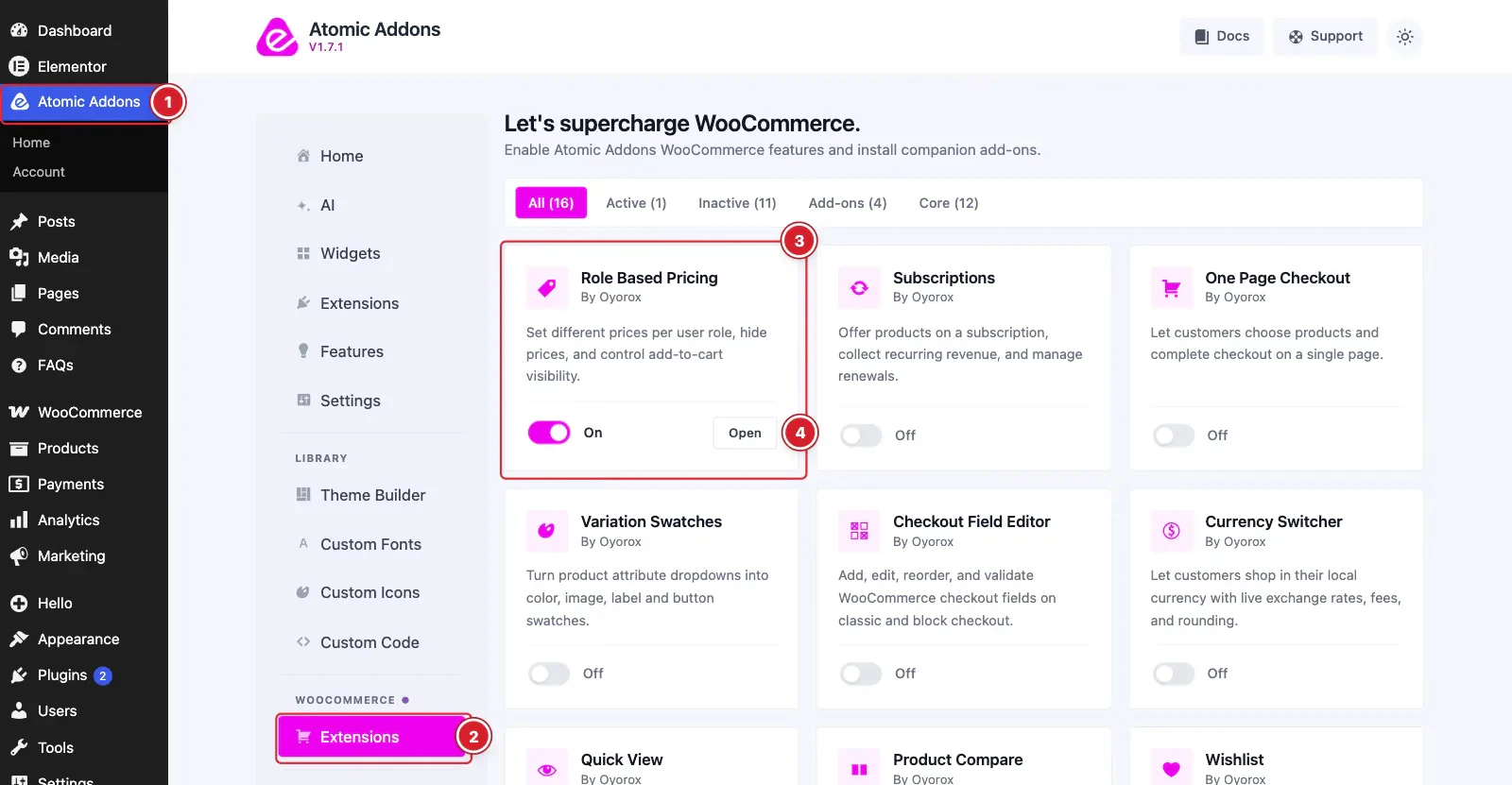
WooCommerce must be installed and active. Then switch the extension on from the Atomic Addons dashboard:
- 1
Go to WordPress Dashboard → Atomic Addons.
- 2
Under WooCommerce, click Extensions.
- 3
Find the Role Based Pricing card and turn its switch On.
- 4
Click Open to open the extension's settings.
Set Store-Wide Role Prices
 (Open the full-size image in a new tab)
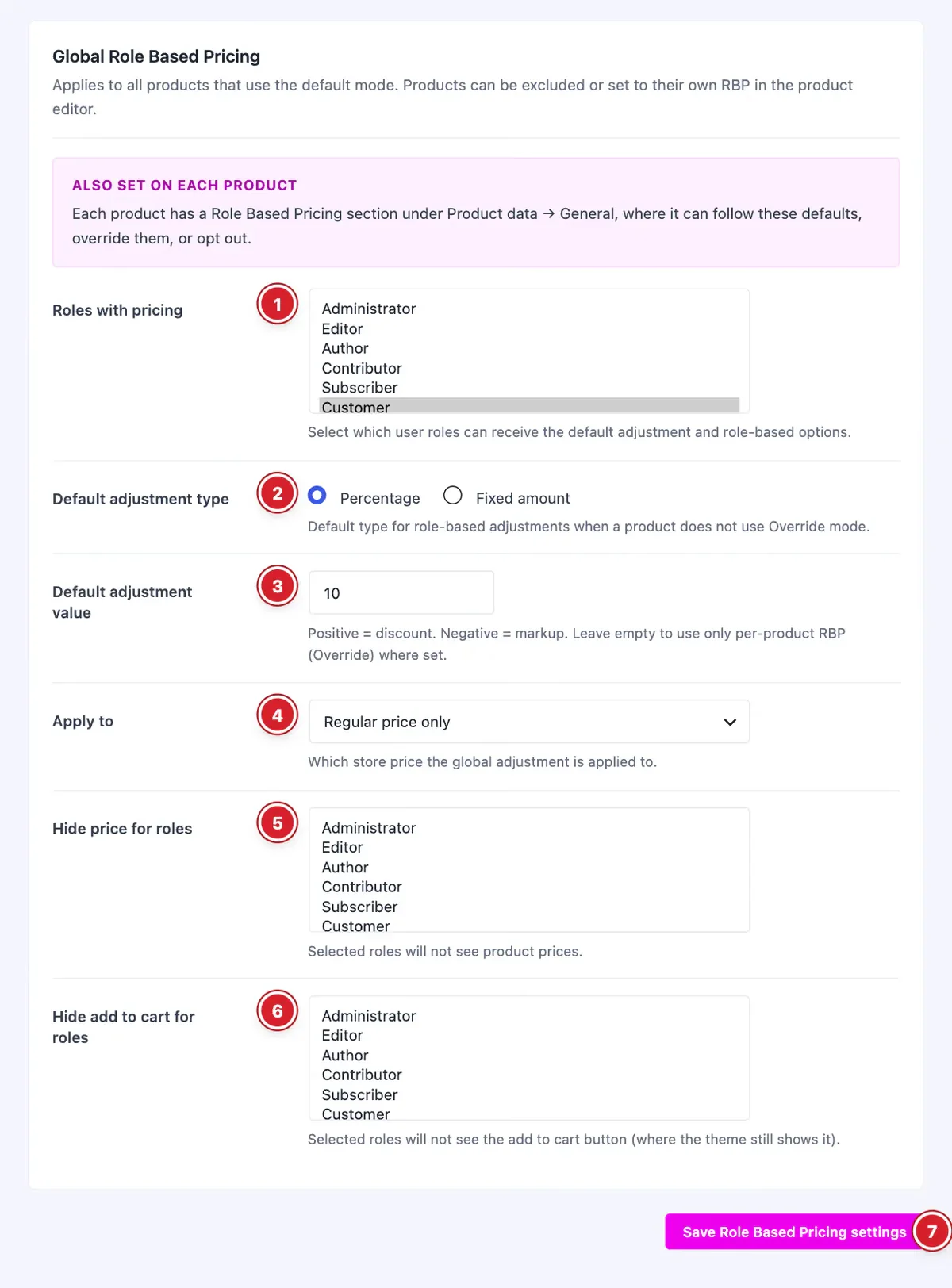
These rules apply to every product that follows the global settings.
- 1
Roles with pricing: The user roles that get the adjusted price.
- 2
Default adjustment type: Percentage of the price, or a Fixed amount in your store currency.
- 3
Default adjustment value: A positive number is a discount and a negative number a markup. For example, 10 with Percentage takes 10% off.
- 4
Apply to: The price the adjustment starts from: Regular price only, Sale price only, or Both regular and sale. With Regular price only, the role price is based on the regular price even while the product is on sale.
- 5
Hide price for roles: These roles see no prices.
- 6
Hide add to cart for roles: These roles can't buy: the add-to-cart button is removed for them.
- 7
Save Role Based Pricing settings: Click to save your changes.
Role prices apply to logged-in users only. Visitors who aren't logged in have no role, so they always see your normal prices.
Set Role Prices for One Product
 (Open the full-size image in a new tab)
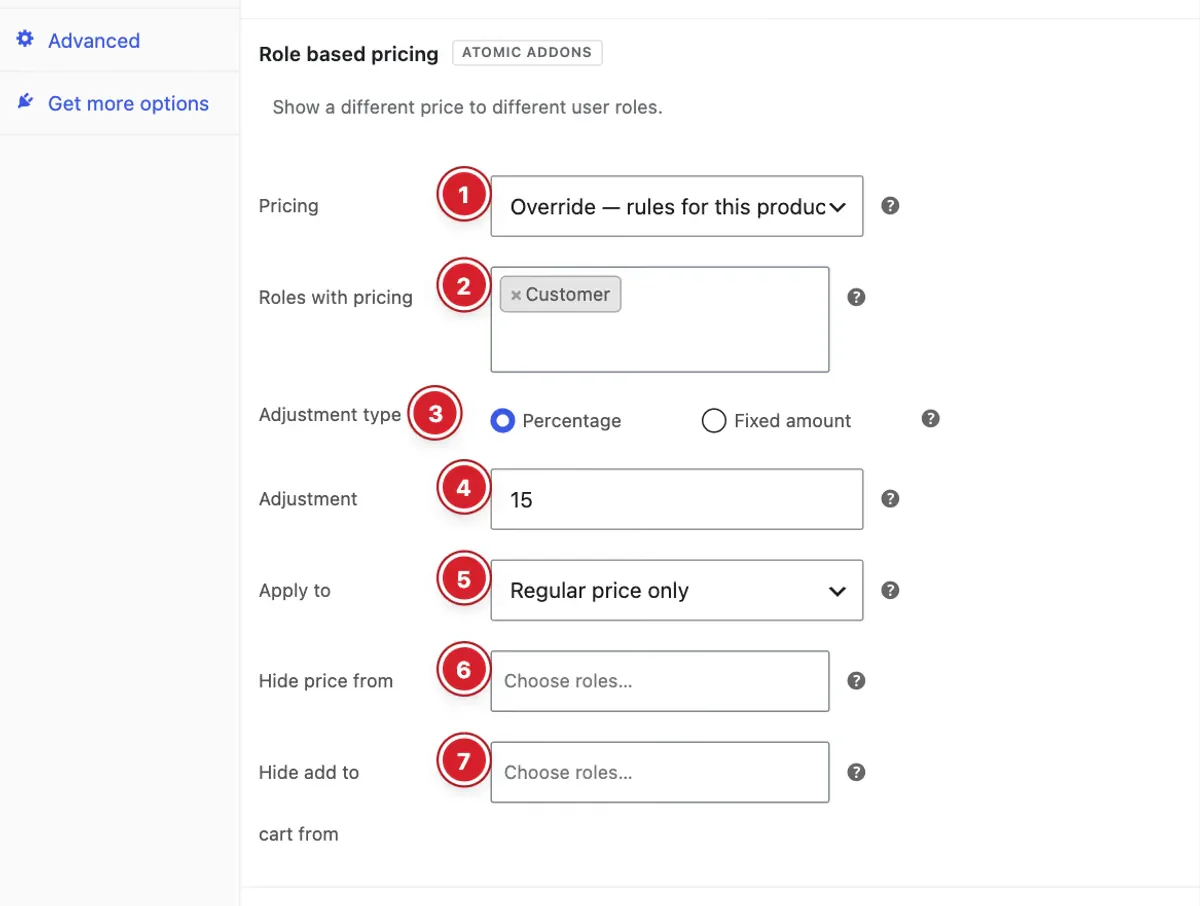
Edit a simple or variable product and open Product data → General. In the Role based pricing section:
- 1
Pricing: Default — use global rules follows the settings above. Do not apply global rules keeps this product at its normal price. Override — rules for this product only shows the fields below, pre-filled from the global settings.
- 2
Roles with pricing: The roles that get a custom price for this product.
- 3
Adjustment type: Percentage or Fixed amount.
- 4
Adjustment: A positive number discounts, a negative number marks up.
- 5
Apply to: Regular price only, Sale price only, or Both regular and sale.
- 6
Hide price from: Roles that won't see this product's price.
- 7
Hide add to cart from: Roles that won't see this product's add-to-cart button.
Variations follow the setting of their parent product.
Final Preview
 (Open the full-size image in a new tab)
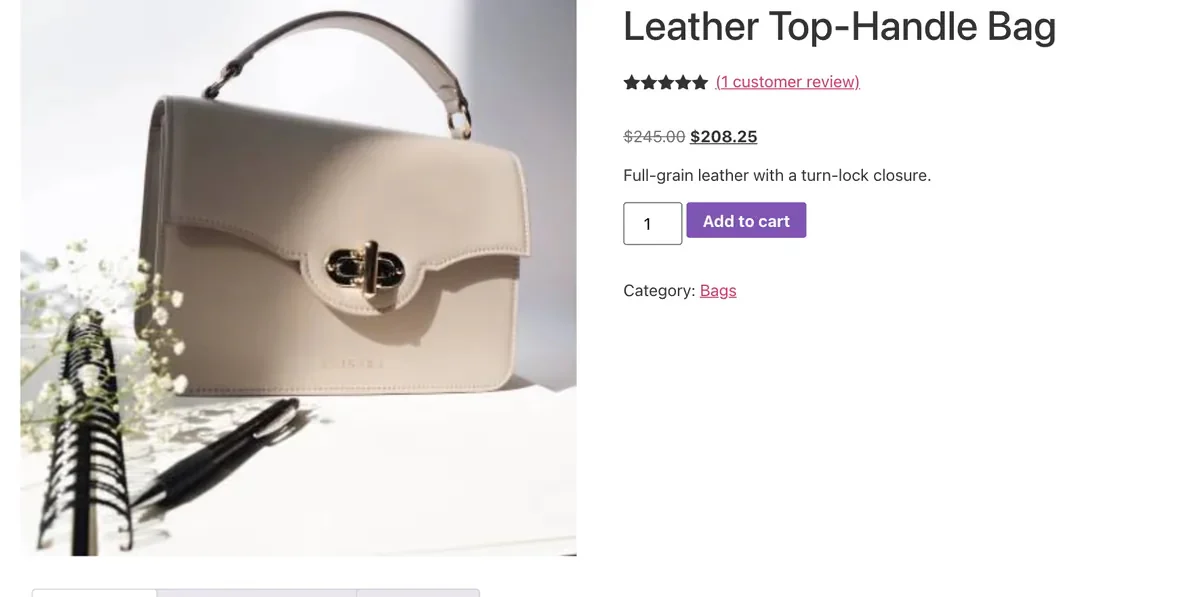
A shopper with a priced role sees the regular price struck through and their own price next to it. The cart and checkout charge the role price.
All done! You have successfully set up the Role Based Pricing extension on your store.
Thanks for being with us.
Can't find what you need?
Our support team can help with setup questions and anything the docs don't cover yet.