
Hide Add to Cart and Price lets you keep prices private and stop purchases for chosen user roles — for example a wholesale catalog that only approved buyers can order from. In Atomic Addons, these options are part of the Role Based Pricing extension, so you enable that extension and pick the roles to hide from. You can set them store-wide or for single products.
Enable the Role Based Pricing Extension
 (Open the full-size image in a new tab)
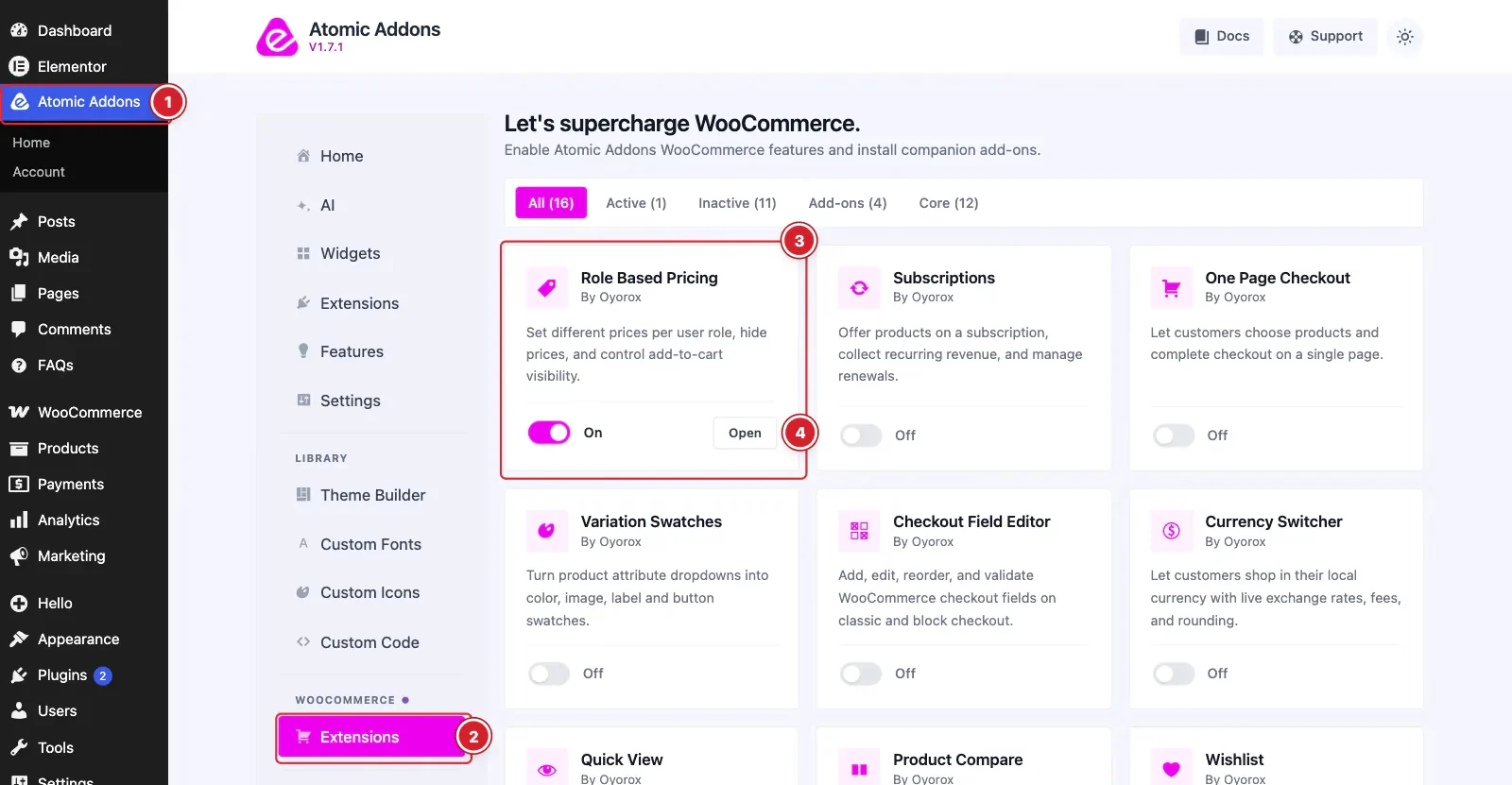
WooCommerce must be installed and active. Then switch the extension on from the Atomic Addons dashboard:
- 1
Go to WordPress Dashboard → Atomic Addons.
- 2
Under WooCommerce, click Extensions.
- 3
Find the Role Based Pricing card and turn its switch On.
- 4
Click Open to open the extension's settings.
Hide Prices and Buttons Store-Wide
 (Open the full-size image in a new tab)
- 1
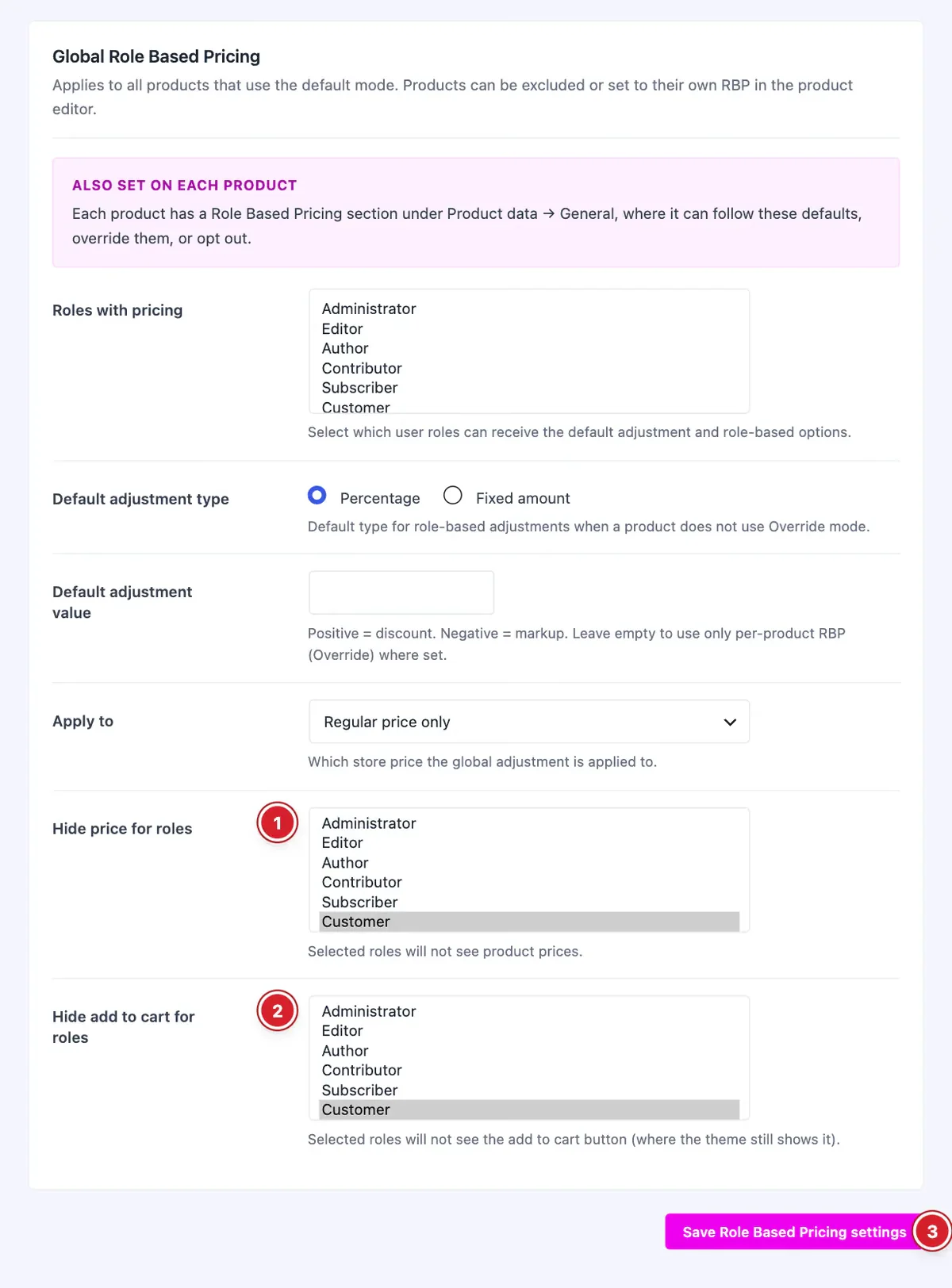
Hide price for roles: These roles see no prices on any product.
- 2
Hide add to cart for roles: These roles can't add products to the cart.
- 3
Save Role Based Pricing settings: Click to save your changes.
You don't need a discount to hide things: leave Roles with pricing and Default adjustment value empty if hiding is all you want.
Hide Them on One Product
 (Open the full-size image in a new tab)
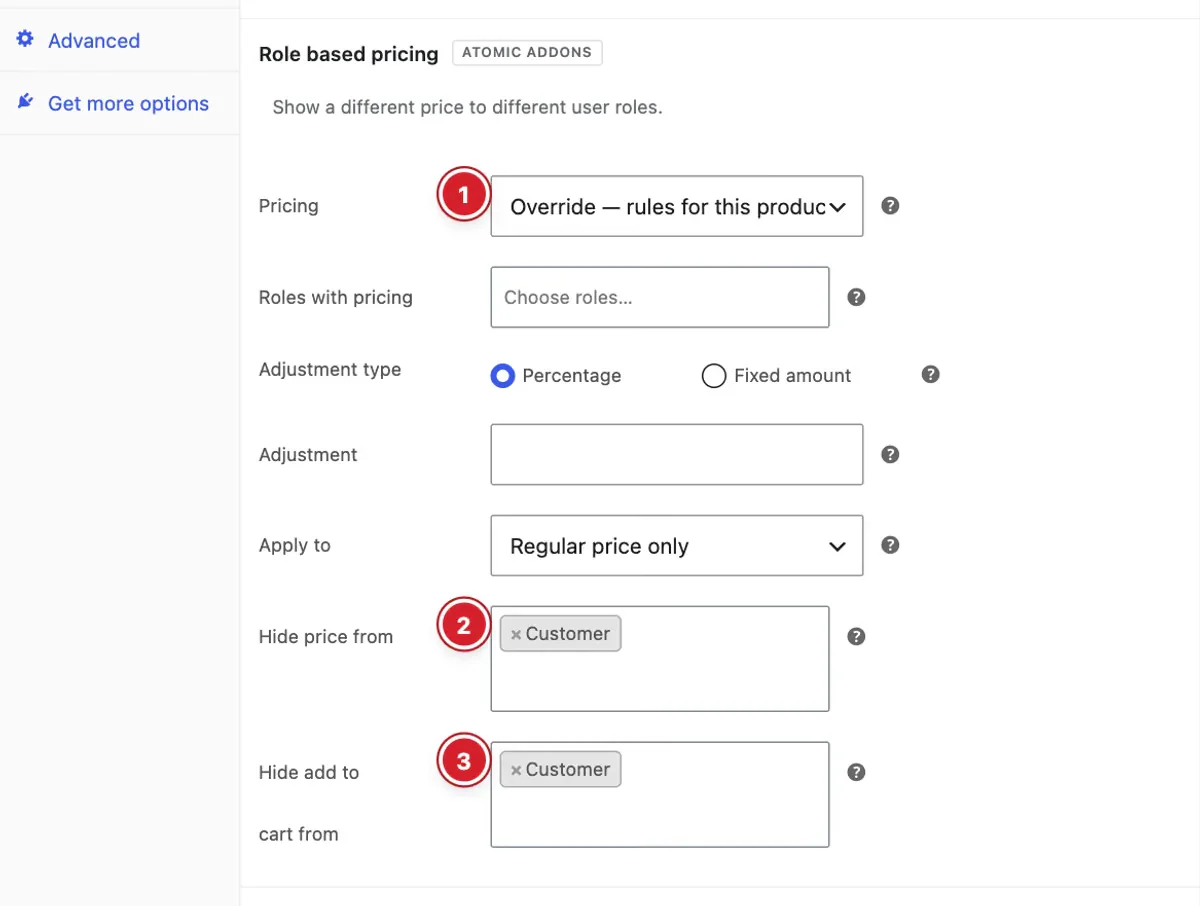
Edit the product, open Product data → General and find Role based pricing:
- 1
Pricing: Choose Override — rules for this product only.
- 2
Hide price from: Roles that won't see this product's price.
- 3
Hide add to cart from: Roles that won't see this product's add-to-cart button.
An override replaces the store-wide hide lists for that product.
How It Works
- A hidden price is removed wherever the product's price appears — product pages, the shop and product widgets. Nothing is shown in its place.
- Hiding add to cart removes the button and makes the product unpurchasable for those roles, so a direct add-to-cart link is refused too.
- Hiding the price alone doesn't stop a purchase. Hide the button as well to make products catalog-only.
- Only logged-in users have roles. Visitors who aren't logged in can't be targeted, so they still see prices and buttons.
Final Preview
 (Open the full-size image in a new tab)
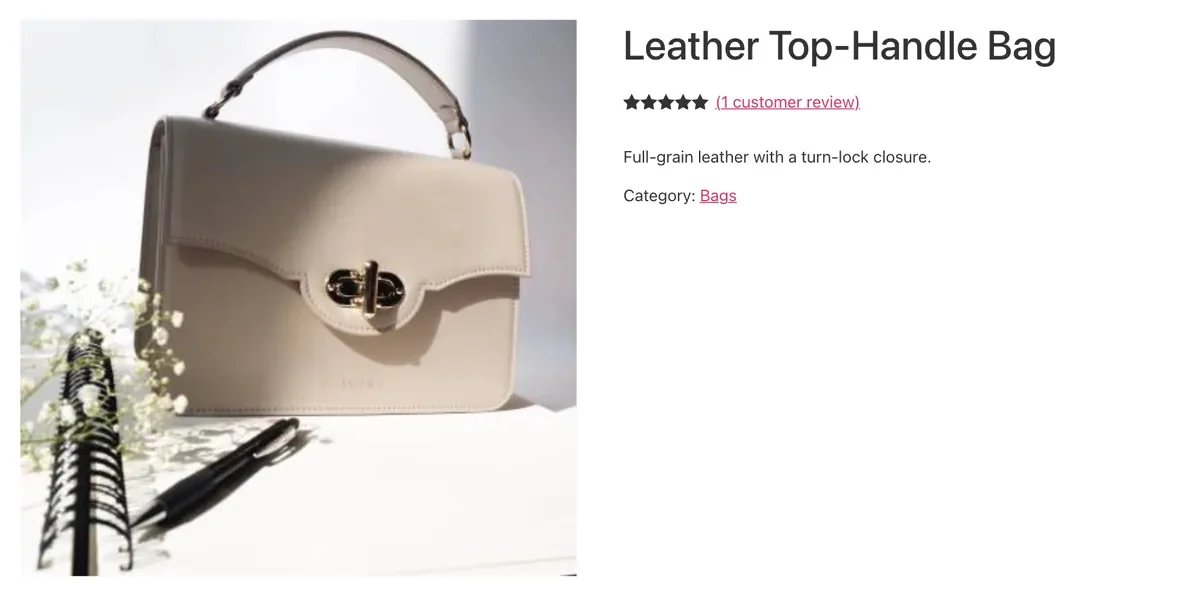
For a hidden role, the product page shows the product's details without a price or an add-to-cart button.
All done! You have successfully hidden prices and add-to-cart buttons on your store.
Thanks for being with us.
Can't find what you need?
Our support team can help with setup questions and anything the docs don't cover yet.