
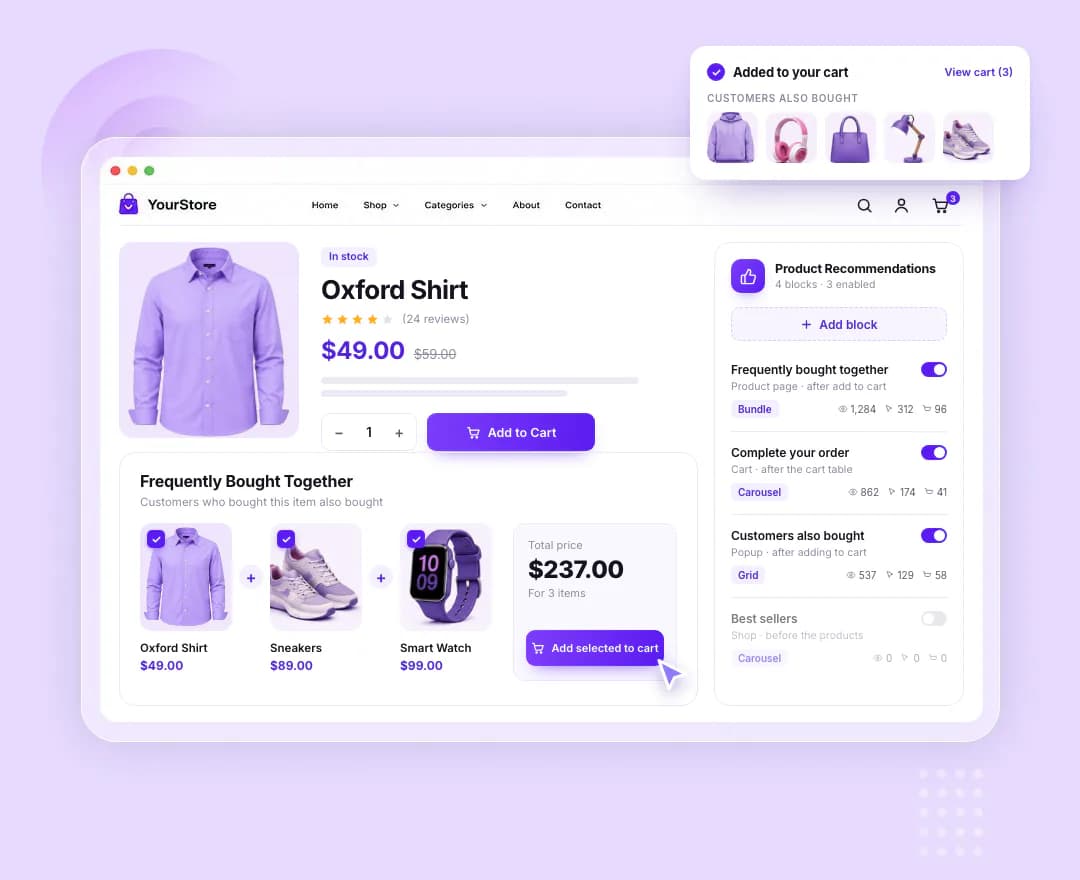
Fourteen sources and a fallback
Bought together, upsells, cross-sells, related, same category or tag, purchase history, recently viewed, best sellers, top rated, new arrivals, on sale, featured or hand-picked. When the source finds nothing, a fallback source fills the block instead.
Wherever the shopper is
Four spots on the product page, two on the cart, three on checkout, two on the thank-you page and two on shop archives — or a popup that opens right after add to cart.
Bundles in one click
The bundle layout lists the products with checkboxes, a running total and one button that adds every selected item to the cart — the classic frequently-bought-together look.
Numbers for every block
Each block counts its impressions, clicks and add-to-carts, shown beside it in the block list, so you can see which recommendations actually sell.
These are the actual options in the plugin — no roadmap items, no “coming soon”.
Products
Where each block's products come from.
- Source — bought together, upsells, cross-sells, related, same category, same tags, purchase history, recently viewed, best sellers, top rated, new arrivals, on sale, featured or hand-picked
- Fallback source for when the first one finds nothing
- Up to 24 products, in the source's own ranking or by popularity, rating, date, price, title or random
- Only from, or never from, chosen categories, plus products to never recommend
- Hide products already in the cart, and out-of-stock products
Placement
One spot per block — add as many blocks as you need.
- Product page — after add to cart, after the summary, after the tabs or after related products
- Cart and checkout, on both the classic pages and the Cart and Checkout blocks
- Thank-you page before or after the order details, and shop archives before or after the products
- A popup after add to cart, with the added product and View cart and Checkout buttons
- Show a block only for chosen products or categories
- Place blocks by hand with a shortcode or the Product Recommendations Elementor widget
Layout and tracking
- Grid, carousel, list or bundle
- Columns for desktop, tablet and mobile
- Show or hide the image, title, price, rating, sale badge, short description and add-to-cart button
- Carousel arrows, dots and autoplay that pauses on hover
- Bundle button label, pre-selected items, and whether adding goes to the cart
- Impression, click and add-to-cart counters per block, with a reset
New stores
With no order history yet, bought-together blocks show their fallback — related products or best sellers, say — then switch over on their own as orders arrive.
Accessories and add-ons
Cross-sells under the cart table surface the cables, cases and refills that shoppers remember too late — right before they pay.
Returning customers
Logged-in shoppers get picks built from what they have ordered before, while guests see the fallback you choose.
Product Recommendations is one of 13 WooCommerce extensions bundled inside Atomic Addons — no separate plugin, no separate licence.
All WooCommerce extensions- Sources
- 14, each block with a fallback
- Placements
- Product, cart, checkout, thank-you, shop and popup
- Layouts
- Grid, carousel, list, bundle
- Bought together
- Completed and processing orders from the last 365 days
- Shortcode
- [atomel_recommendations id="…"]
Build what clients imagine
Design without limits and deliver client-ready websites with full control over every detail on every device.