
The Product Reviews widget by Atomic Addons shows customer reviews from across your store as a grid of cards on any page. Each card has the reviewer's avatar and name, the product they reviewed, their rating and the start of their review. You choose how many reviews appear, their order and what each card shows. This guide covers adding the widget and each of its settings.
Enable the Product Reviews Widget
Product Reviews is a Pro widget and needs Atomic Addons Pro and WooCommerce. Switch it on from the plugin dashboard:
- 1
Go to WordPress Dashboard → Atomic Addons.
- 2
Click the Widgets tab.
- 3
Search for Product Reviews. You can also open the WooCommerce category.
- 4
Turn the Product Reviews widget on.
- 5
Click Save Settings.
Add the Product Reviews Widget
Product Reviews works on any page:
- 1
Open the page in Elementor (Edit with Elementor).
- 2
In the widget panel, search for Product Reviews. The widget sits in the Atomic Addons Pro category.
- 3
Drag it into the page and set it up with the controls below.
- 4
Click Publish (or Update).
The reviews come from all your products, not from the page the widget is on, which suits a home page or a testimonials section. There is no setting to show one product's reviews: for the reviews of the product being viewed, use the Product Tabs widget, whose Reviews tab lists them with the review form.
Layout
 (Open the full-size image in a new tab)
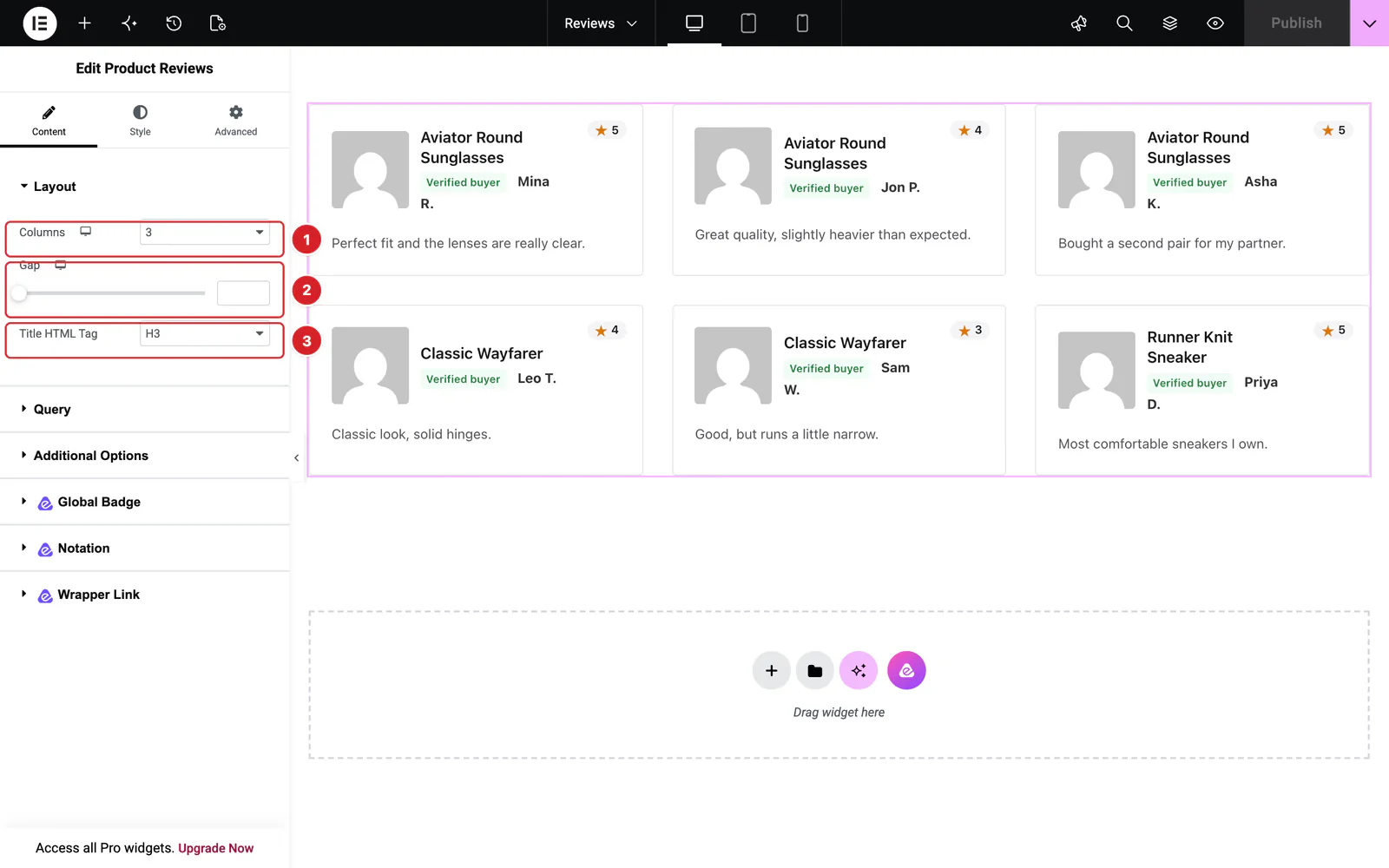
Open the widget and go to Content → Layout:
- 1
Columns: 1 to 6 columns: 3 by default, 2 on tablets and 1 on phones. Use the device icon to change them per device.
- 2
Gap: The space between cards, 30px when left empty.
- 3
Title HTML Tag: The markup of the product name on each card: H1 to H6, div, span or p. H3 by default.
 (Open the full-size image in a new tab)
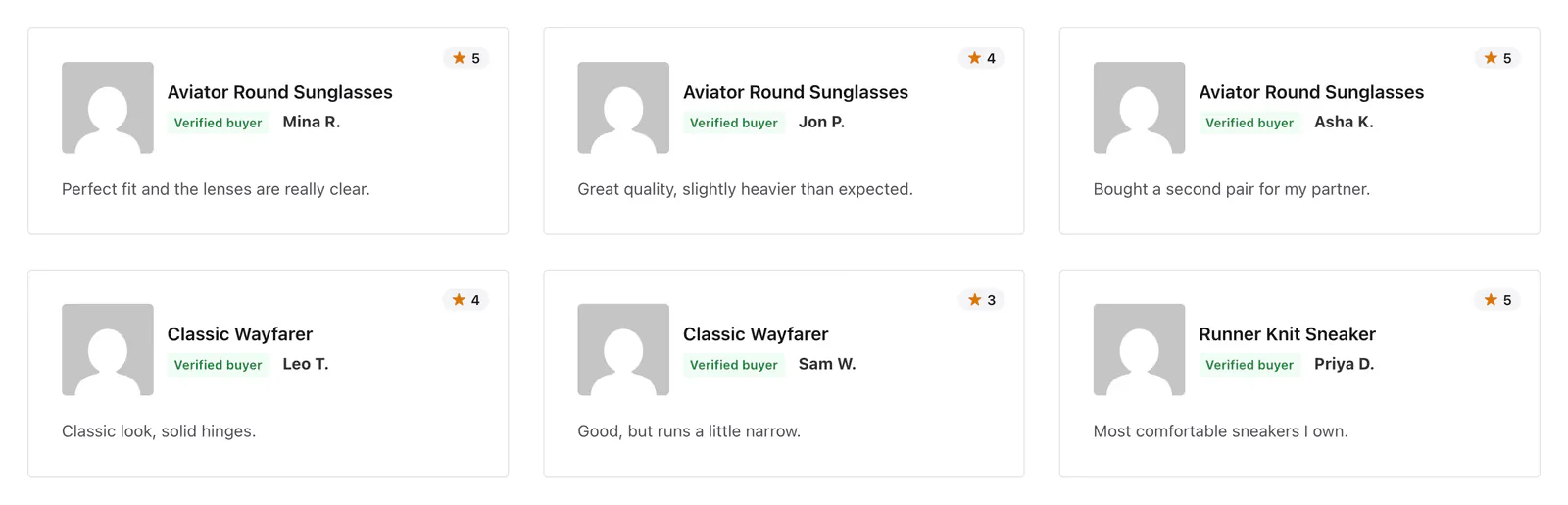
A card shows the reviewer's avatar, the name of the product they reviewed (linked to it), a Verified buyer label when WooCommerce knows they bought the product, the reviewer's name, the review's own rating as a star and a number in the top corner, and the review text.
Query
 (Open the full-size image in a new tab)
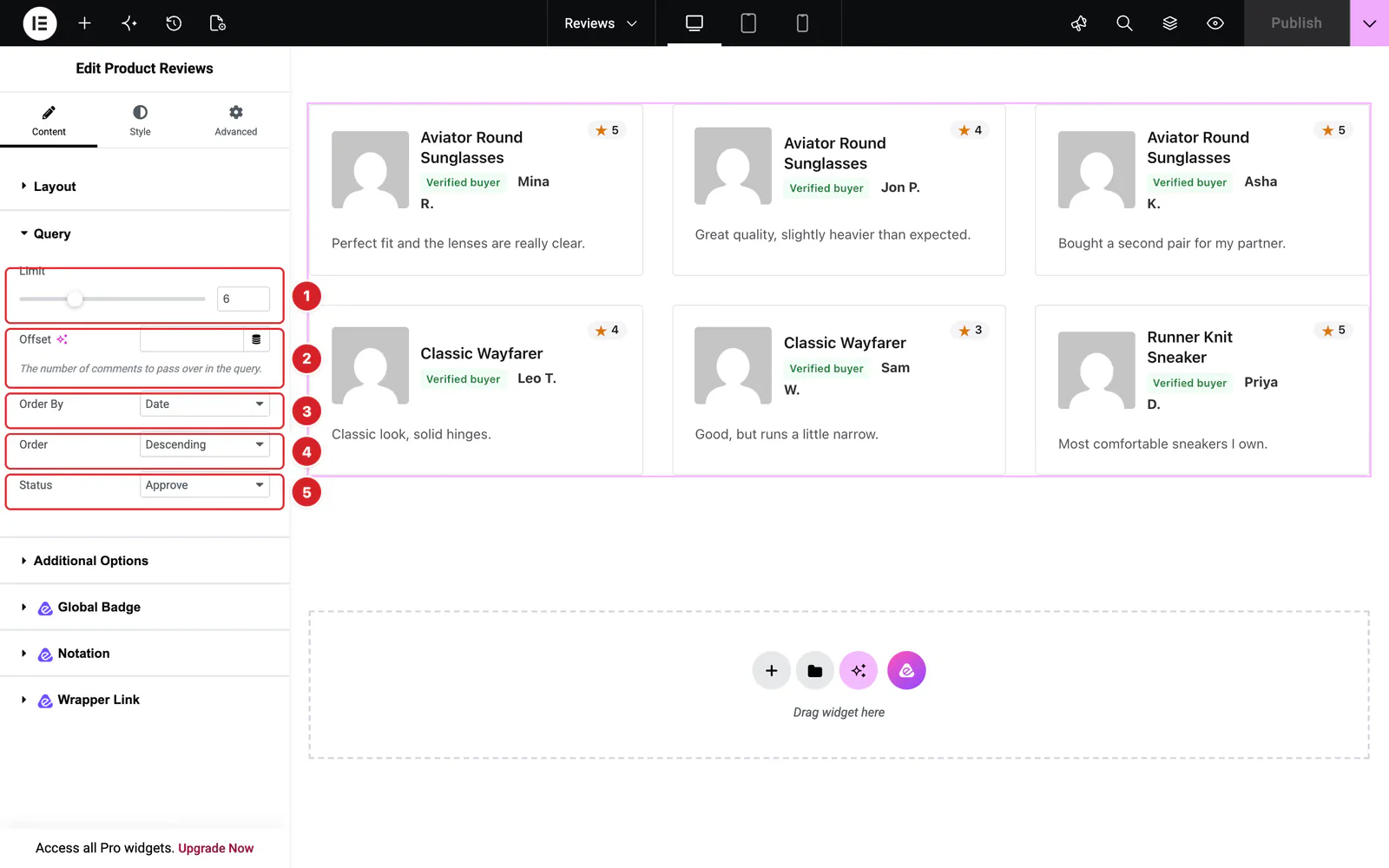
Content → Query decides which reviews appear:
- 1
Limit: How many reviews to show, 6 by default and up to 20. 0 shows every review.
- 2
Offset: Skips this many reviews from the start of the list, for example to carry on where another Product Reviews widget stops. It works only with a Limit above 0.
- 3
Order By: Date (the default), Author (the reviewer's name), Content (the review text, alphabetically) or Approved (approval status, useful with Status All). Random picks and orders the reviews at random each time the page loads.
- 4
Order: Descending, the default, puts the newest first; Ascending the oldest.
- 5
Status: Approve, the default, shows approved reviews. Hold shows reviews waiting for your approval and All shows both.
Reviews waiting for approval show only to users who can moderate comments, such as administrators, each marked “This review is awaiting approval.” Every other visitor sees approved reviews only, whatever the Status.
Only reviews of published products count; comments on posts and pages never appear. When no review matches, the widget shows “No reviews found”.
Additional Options
 (Open the full-size image in a new tab)
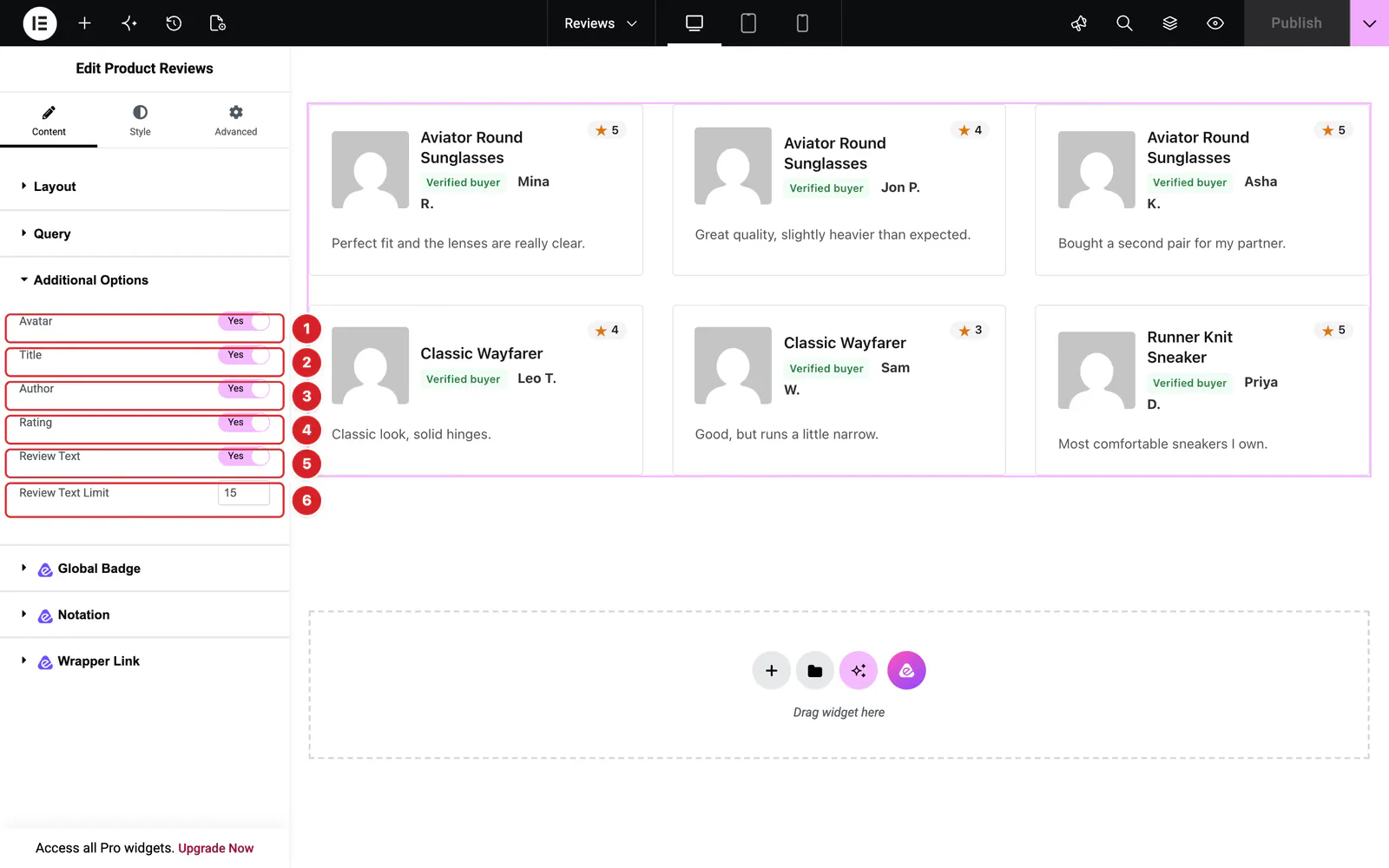
Content → Additional Options picks what each card shows. Everything is on by default:
- 1
Avatar: The reviewer's profile picture from Gravatar, based on their email, or WordPress's default avatar. Set its size under Style → Avatar → Size, 80 × 80 by default. If avatars are turned off in Settings → Discussion, none shows.
- 2
Title: The name of the reviewed product, linked to its page.
- 3
Author: The reviewer's name, linked to the website they gave with the review, and the Verified buyer label.
- 4
Rating: The review's stars as one star and a number, such as “★ 5”. Reviews without a rating show none, and so does every review when star ratings are off in WooCommerce → Settings → Products.
- 5
Review Text: The review itself.
- 6
Review Text Limit: How many words of the review to show, 15 by default. Longer reviews end in “...”.
Style the Product Reviews
Everything below is on the Style tab. A section is hidden while its part of the card is switched off.
- Item — the card's Background, Border, Border Radius, Padding, Margin and Box Shadow.
- Avatar — Size (25 × 25 to 150 × 150), Image Border, Border Radius, Space Between the avatar and the names, and Box Shadow.
- Title — Color, Hover Color, Margin and Typography of the product name.
- Text — Color, Margin and Typography of the review text.
- Author — two tabs: Text styles the Verified buyer label and Name the reviewer's name, with a hover color for names linked to a website.
- Rating — the star's Color and Size, the number's Text Color and typography, and an Offset to move the rating from the top right corner.
Can't find what you need?
Our support team can help with setup questions and anything the docs don't cover yet.