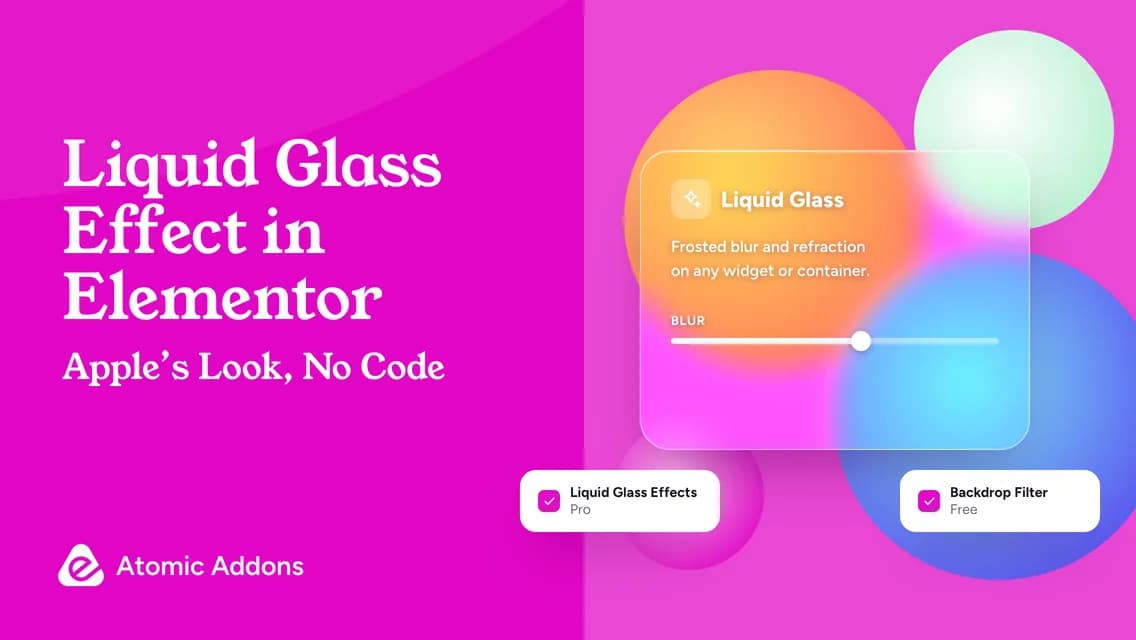
When Apple introduced Liquid Glass at WWDC in June 2025, it set the visual tone for the year: translucent surfaces that blur and gently bend whatever sits behind them. Within months the look was all over the web — glassy navigation bars, frosted pricing cards, floating buttons over photos. The good news for Elementor users is that you can build it without writing CSS.
Quick answer: For classic frosted glass, give an element a semi-transparent background and apply Atomic Addons’ free Backdrop Filter extension with a blur of about 12–20px. For the liquid look — glass that slightly distorts what’s behind it — switch on Atomic Addons Pro’s Liquid Glass Effects in the same Background panel and set its Blur. Place either one over a photo or gradient, keep text contrast at 4.5:1 or better, and test on phones.
Glassmorphism vs Liquid Glass: what’s the difference?
| Look | How it works | Atomic Addons tool |
|---|---|---|
| Frosted glass (glassmorphism) | Blurs the background behind a semi-transparent panel | Backdrop Filter extension (free) |
| Liquid glass | Adds a distortion filter on top of the blur, so the background bends like curved glass | Liquid Glass Effects extension (Pro) |
Under the hood, Liquid Glass Effects combines a backdrop blur with an SVG filter — turbulence, specular lighting and a displacement map — that warps the blurred background. The filter is added once per page and, since version 1.9.0, only on pages that actually use the effect.
Before you start: glass needs something behind it
Glass is only as interesting as what it covers. A glass card on a flat white background just looks grey. Put your glass element over a photo, a colorful gradient or the Pro Animated Gradient Background extension, and keep the glass element’s own background transparent or semi-transparent. The Liquid Glass control says as much: the effect works best with transparent backgrounds over a section that has a background image.
Both extensions live in the element’s Background panel: Advanced → Background on a widget, and Style → Background on a container or section.
Method 1: Frosted glass with the free Backdrop Filter
- In WordPress, go to Atomic Addons → Extensions, switch on Backdrop Filter and save.
- In Elementor, select the widget or container that should look like glass.
- Give it a semi-transparent background, for example white at 15–25% opacity, a 1px border in white at about 35% opacity and a corner radius of 20–28px.
- Open its Background panel, then Backdrop Filter, and set Blur to around 12–20px.
- Fine-tune Brightness and Saturate so the colors behind the glass glow. The extension also offers Contrast, Grayscale, Hue Rotate, Invert, Opacity and Sepia.
- Add a soft shadow so the panel lifts off the background.
Method 2: Liquid Glass Effects (Pro)
- Go to Atomic Addons → Extensions, switch on Liquid Glass Effects and save.
- Select a widget, container, section or column that sits over a rich background.
- Open its Background panel and switch on Liquid Glass Effects.
- Set the Blur, from 0 to 25px. Small values keep the background recognizable and let the distortion show; higher values look more frosted.
- Keep the element’s own background transparent, then add the border, radius and shadow as in Method 1.

Five places glass looks great
- Sticky navigation bars that float over a hero image.
- An offer card in the hero, such as a Black Friday deal with a countdown.
- A highlighted pricing plan over a soft gradient.
- Floating pill buttons and badges over product photos.
- Login or signup panels over a full-screen brand image.
And two places it doesn’t belong: long paragraphs of body text, and data-heavy tables. Both need solid, high-contrast backgrounds to stay readable.
Accessibility and performance rules
- Check contrast over the busiest part of the background. Aim for at least 4.5:1 for body text and 3:1 for large text, as WCAG recommends.
- If contrast fails, raise the panel’s opacity or darken the background behind it rather than adding text shadows.
- Use glass for a few focal elements, not every section. Each layer costs rendering time, especially on mid-range phones.
- Test in Chrome, Safari and Firefox on desktop and mobile; blur and SVG filters can render slightly differently between browsers.
- Don’t put important instructions only on glass over moving backgrounds, such as video or animated gradients.
Black Friday idea: a glass offer card
Combine the pieces into a hero that stops the scroll: a dark gradient or product photo as the section background, a Liquid Glass card in the middle, the offer in large type, the free Countdown widget underneath and a single bright button. Our Black Friday sale page guide walks through the rest of the page.
Frequently asked questions
Can I make Apple’s Liquid Glass effect in Elementor without code?
Yes. Atomic Addons’ Liquid Glass Effects extension adds it from the Background panel of a widget, container, section or column, and the free Backdrop Filter extension covers classic frosted glass.
Is the Liquid Glass effect free?
Backdrop Filter, for frosted glass, is one of Atomic Addons’ five free extensions. Liquid Glass Effects, with the distortion, is one of the 17 Pro extensions.
What is the difference between glassmorphism and liquid glass?
Glassmorphism blurs what sits behind a semi-transparent panel. Liquid glass adds refraction: the background bends at the panel’s surface, like light through curved glass.
Does the glass effect work in every browser?
Backdrop blur works in current versions of Chrome, Edge, Safari and Firefox. The distortion uses an SVG filter, which can look slightly different from browser to browser, so preview your design in each one.
Will glass effects slow down my site?
A few glass elements are fine. Many stacked layers can be heavy on low-end phones. Atomic Addons adds the Liquid Glass filter only to pages that use it, which keeps the cost where the effect is.
Make it shine
Liquid Glass is a rare design trend that is easy to do well: one rich background, one glass element and strong contrast. Try the free Backdrop Filter today, and add Liquid Glass Effects when you want the real thing.
Atomic Addons Pro includes Liquid Glass Effects and 16 other Pro extensions, 50% off with code OYOROXBF50 until November 30, 2026.