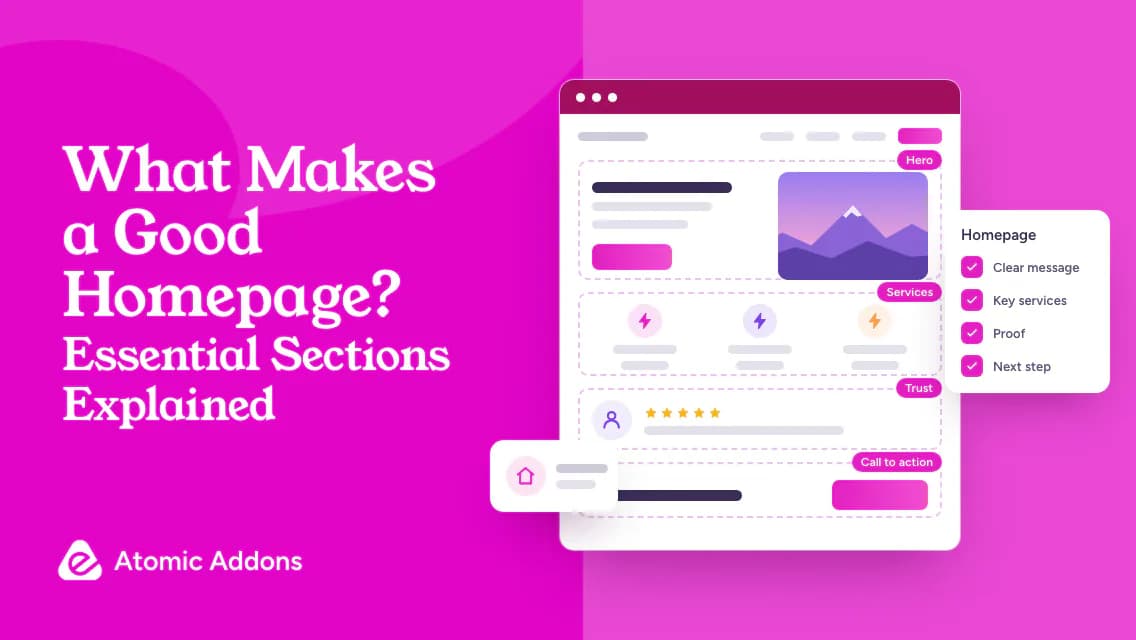
What makes a good homepage is not always clear when a template offers more sections than your visitors need. You may have a polished page that still fails to explain the offer, its audience, or the next step.
Unclear headlines, repeated benefits, and competing buttons can make people work harder to find basic answers. Adding another section may deepen that confusion rather than resolve it.
This guide explains essential homepage sections for WordPress owners and small businesses. Learn the purpose of each section, keep evidence genuine, and use a visitor-task checklist to decide what to include or remove.
What Makes a Good Homepage?
- A clear offer and audience, stated early.
- Navigation that helps people find their next destination.
- Specific information supported by genuine evidence.
- Readable content and usable controls on mobile.
- A sensible next step without competing distractions.
The Header and Navigation
The header gives visitors orientation. Include the brand identity and a compact route to important information. Choose labels that describe destinations, such as Services, Pricing, or Support, rather than phrases that only make sense inside the company.
Decide whether a prominent action belongs in the header. 'Request a quote' may fit a service business, while a shop may prioritize search and the cart. Do not place several equally prominent actions together simply because different teams requested them.
Check how the menu behaves when the screen narrows. Visitors should be able to open it, identify destinations, and close it without losing context. Keyboard access and visible focus deserve attention too. W3C's menus tutorial provides a useful technical reference for accessible navigation.
The Hero Section
The hero introduces the offer. Use a headline that tells the reader something specific, followed by a short explanation of suitability or value. 'Everything you need to succeed' is difficult to evaluate. 'Scheduling software for independent repair teams' identifies both the category and audience.
Choose a primary next step that matches readiness. A visitor who needs explanation may benefit from viewing services before committing to a consultation. If a secondary link is useful, make its role different and less visually dominant.
Use the hero image to explain, not merely decorate. A product view, service photograph, or clear demonstration can support understanding. Avoid a large background video that obscures the message or creates unnecessary loading work. Confirm that the headline and button remain readable without the image.
Services or Products
Show the main offer categories rather than forcing every detail onto the homepage. Each card should have a recognizable name, a short description, and a meaningful destination. The visitor should understand the difference between options before clicking.
For services, explain the problem addressed and the audience served. For products, help people find the right category or identify the most relevant starting point. A featured product list should have a selection logic, such as a particular use case, rather than being a random collection.
Match card design to the actual content. If one service needs a longer explanation, do not hide essential distinctions merely to make every card the same height. Use consistent structure, but prioritize the reader's decision.
Benefits Without Unsupported Promises
Explain what the offer helps someone do. Translate features into practical implications while keeping claims within available evidence. A reusable template may simplify repetitive design work; that does not prove every customer will finish a website in a specific number of minutes.
Keep benefits distinct. Several cards that all say 'faster, smarter, better' add little information. Instead, explain separate dimensions such as setup, editing, compatibility, or support. Include qualifications where they affect suitability.
Use an example when an abstract benefit is hard to picture. A service business might show how an enquiry becomes an appointment. A software business might describe a concrete editing task. Label illustrative examples clearly and avoid presenting them as measured customer results.
Trust and Evidence
Trust sections should reduce a real uncertainty. Relevant evidence may include authorized testimonials, accurate certifications, project examples, transparent policies, or a clear explanation of who provides the service. The best choice depends on what visitors need to verify.
Do not invent review scores, client logos, or usage numbers to fill a template. If you do not have testimonials, provide useful factual information such as the process, team background, or support arrangements. An honest explanation is stronger than borrowed credibility.
Keep proof close to the claim it supports. A statement about a specific service should link to relevant evidence, not a generic logo wall. Confirm dates and permissions during your content review.
How It Works
A process section is helpful when the next step feels uncertain. Explain what happens after someone enquires, subscribes, or buys. Use plain language and include important requirements, such as providing project information or selecting a product option.
Keep the number of steps honest. Do not compress a complicated setup into 'one click' unless that description is accurate. A simple example is enquiry, consultation, proposal, and delivery, but your process may differ. The goal is predictability, not an artificially short diagram.
Questions and the Final Call to Action
Use homepage FAQs for questions that affect the first decision, such as suitability, availability, or where to find support. Detailed technical questions may belong on a product or documentation page. Avoid duplicating the entire help center.
End with a clear next step connected to the page's purpose. Repeat the main action when useful, but explain what the visitor can expect after clicking. 'Send your requirements' is more concrete than 'Start your journey' when the next screen is an enquiry form.
Include practical information in the footer, such as contact routes and relevant policy links. A footer should not become an unrelated directory of every keyword the business wants to target.
Creating the Homepage in WordPress
Plan reusable styles before creating sections. Keep headings, spacing, buttons, and card patterns consistent. Elementor addons can help present particular content types, but use them selectively. Review Atomic Addons for appropriate Elementor tools rather than adding effects to every available section.
Use actual text before finalizing the layout. Test long headings, narrow screens, and links with meaningful labels. W3C's page-structure guidance explains why logical headings and landmarks help people navigate. A visually large text block is not automatically a properly structured heading.
A Homepage Review Checklist
- Can a new visitor identify the offer and intended audience?
- Do the main sections answer different useful questions?
- Are claims supported and testimonials authorized?
- Can people find pricing, details, contact, or support when relevant?
- Does the main action work on a phone and with a keyboard?
- Are headings, images, and button labels understandable?
- Do forms deliver the expected result?
- Can unnecessary sections be removed without losing useful information?
Ask a person unfamiliar with the website to complete a realistic task. Observe where they hesitate instead of explaining the page to them. Their difficulty locating a service or understanding a button is a useful revision signal, even when the design looks polished.
Frequently Asked Questions
1. What sections should a homepage include?
Start with navigation, a clear introduction, the main offer, relevant evidence, and a next step. Add process information or FAQs when visitors need them. There is no mandatory section count. Include a section because it helps the reader understand or act, not because the template contains it.
2. What should a homepage headline say?
Explain the offer and, where useful, the intended audience or problem addressed. Use wording a new visitor can understand without context. Avoid vague superlatives and unsupported promises. Pair the headline with a short explanation when the product or service needs additional information before it becomes clear.
3. How long should a homepage be?
It should be long enough to answer the important entry-level questions without repeating itself. Complex offers may require more explanation than familiar ones. Review the content's usefulness rather than targeting a fixed word count. Keep detailed specifications and specialized instructions on appropriate linked pages.
4. Does every homepage need testimonials?
No. Testimonials can help when they are genuine, authorized, and relevant, but they are not a requirement. You can establish trust through accurate information, transparent processes, project examples, and clear support details. Never publish invented feedback or keep demo testimonials simply to fill a design section.
5. Should a homepage have only one button?
Not necessarily. Navigation and offer links help visitors with different needs. However, one primary action can provide useful emphasis. Make secondary actions distinct and appropriate to the reader's readiness. Avoid presenting several competing calls to action with identical visual priority in the same area.
6. Can I use a slider in the hero section?
You can, but first consider whether a static introduction communicates more clearly. Check accessibility, controls, motion, and loading behavior. Do not put essential information only on a slide visitors may miss. A slider is a presentation choice, not a guaranteed improvement in engagement or conversion.
7. How do I make a WordPress homepage mobile friendly?
Check content order, heading wrapping, menu behavior, button spacing, and form usability at narrow widths. Test on a real phone as well as in the editor preview. Verify keyboard use and enlarged text too. Responsive settings are a starting point, not proof that the finished page is usable.
8. Where should pricing appear on a homepage?
Include pricing when it helps visitors assess suitability and you can present it accurately. Otherwise provide a clear route to a pricing page or explain how quotes work. Do not hide important cost qualifications behind vague language. The right placement depends on the offer and the reader's decision process.
9. Do Elementor addons improve homepage design?
They can provide additional ways to present content, but improvement depends on how you use them. Select widgets around actual requirements and keep the design consistent. Test the result with your theme, content, and devices. More widgets or animations do not automatically make a homepage clearer.
10. How can I evaluate whether my homepage works?
Ask unfamiliar visitors to explain the offer and complete a relevant task. Check where they hesitate and whether the final action succeeds. Review appropriate analytics alongside these observations. Avoid judging the homepage only by visual preference or treating a single metric as proof of overall effectiveness.
Your Next Step
A homepage can contain every familiar section and still leave visitors unsure what you offer.
When the message and next step remain unclear, more cards or visual effects simply create more content to navigate.
Review your homepage against the reader's questions, remove repetition, and test the main action. Explore Atomic Addons for Elementor widgets and ready-made templates that support those sections, then customize the content and verify the public page.