WordPress plugin bundles can make several tools look cheaper than buying them separately. For a website owner or growing agency, the challenge is separating a useful package from a collection of products that will remain unused.
A bundle can duplicate licenses you already own, create several renewal commitments or encourage unnecessary installations. The advertised total value is not the same as the amount your business would otherwise have spent.
Compare bundles against a shortlist of real requirements. This guide shows how to count useful products, inspect package terms and decide whether a combined purchase is more sensible than buying individual plugins.
Distinguish a bundle from an all-in-one plugin
A bundle usually combines multiple products in a commercial package. An all-in-one plugin provides several features within one installed product. A toolkit label alone does not establish which model applies.
This distinction affects installation, updates and portability. A package may contain independent plugins with separate settings and release cycles. One plugin may expose optional modules through a shared interface.
Ask what you actually receive: downloadable products, hosted services, templates or a mixture. Also verify whether a site allowance applies to each product independently or across the package.
Count the products you would buy without the bundle
Start with a blank list and write down the tools required for approved work. Then map those requirements to the bundle.
Classify every included item:
- Needed now for a specific website or task.
- Needed soon for an approved project.
- Already covered by another tool.
- Unlikely to be used.
Do not add speculative future products to the savings calculation. A package might still be attractive, but the decision should not depend on work you have not won or requirements you have not confirmed.
For an agency, use a conservative client count. An allowance for many sites has little current value when the products suit only a small fraction of your portfolio.
Calculate the equivalent cost of WordPress plugin bundles
Use comparable editions, site allowances and billing intervals. Do not compare a single-site bundle with individual unlimited-site plans unless that difference reflects your actual requirements.
Consider a hypothetical package:
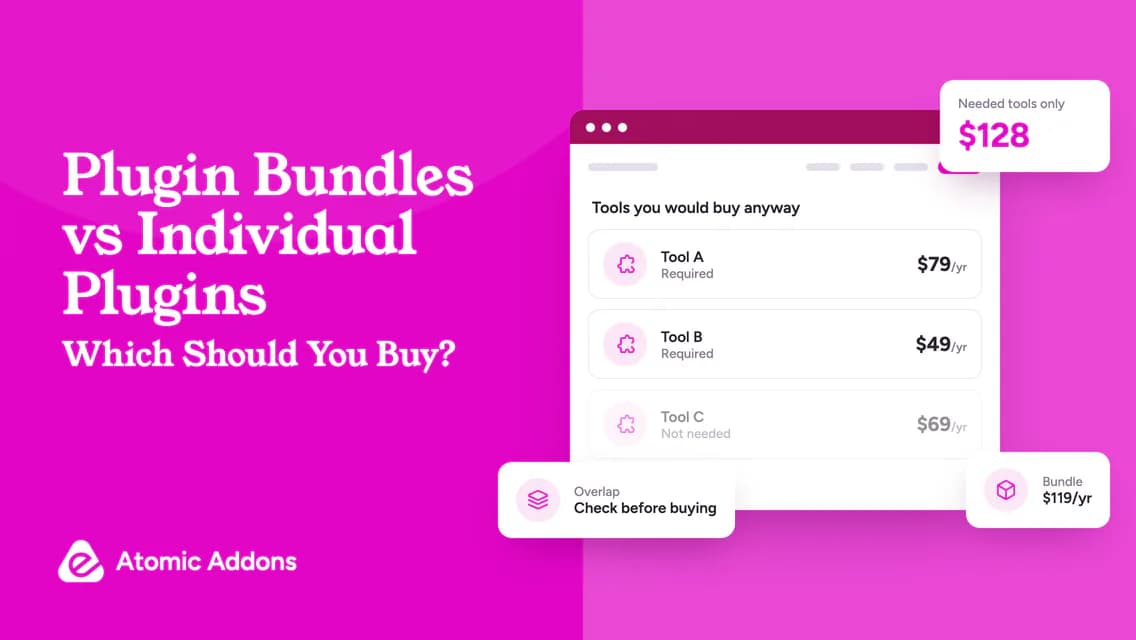
- Tool A, required: $79 annually.
- Tool B, required: $49 annually.
- Tool C, unnecessary: $69 annually.
- Bundle: $119 annually.
The useful individual total is $128, so the relevant annual saving is $9, not $78 against the price of all three tools. If the bundle renews at a different rate, repeat the calculation for the next billing period.
These are illustrative figures, not vendor prices. They show why the most meaningful number is the cost of your qualifying shortlist.
Check what the package includes and excludes
A bundle’s headline does not answer every licensing question. Check whether all products are the full editions, whether future additions are included and whether new products require an upgrade.
Record support, updates, site activations and refund eligibility. Ask whether removing one item changes the rest of the purchase. Confirm whether a package can be downgraded later or whether individual licenses must be repurchased.
The WordPress license page offers general software-license context. It does not replace the commercial package terms for support, account access or connected services.
Also distinguish installation from entitlement. You may be allowed to purchase a package without activating every plugin. Confirm this with the seller rather than assuming all components must be installed together.
Avoid operational overlap
Two tools may both manage forms, caching, global templates or product pricing. Before using them together, decide which component is responsible for each task.
An overlap audit should identify:
- Existing feature owner.
- Proposed replacement and reason.
- Pages or data tied to the old tool.
- Migration work and testing.
- Renewal cancellation date, if appropriate.
- Recovery plan if the replacement fails.
Use the WordPress plugin management documentation to understand the core management workflow. Do not deactivate an established product without checking what relies on it.
A bundle may simplify purchasing but still add maintenance. Evaluate that trade-off explicitly.
Consider account ownership for client projects
An agency package may be economical across several sites, but the client needs a clear handover arrangement. Document who owns the license, who receives support and what happens if the care agreement ends.
Avoid promising a transferable license unless the vendor permits it. If the client will manage their own website, an individual client-owned purchase may be operationally simpler even when it costs more initially.
Store license records securely and keep account credentials out of ordinary handover documents. Provide an entitlement summary rather than sharing a master account unnecessarily.
Where to start a shortlist
Use a collection such as current WordPress plugin offers to identify relevant categories, but check whether the offer is actually a bundle. Separate product recommendations are not automatically a combined purchase.
For an Elementor requirement, the Atomic Addons overview can help establish whether one toolkit covers several needs. Verify its current plan inclusions instead of treating its features as separate products you would otherwise have bought.
Frequently asked questions
Are plugin bundles always better value?
No. A bundle is better value only when its useful, qualifying products justify the price and maintenance work. Compare against the individual tools you actually need. A large advertised saving across unused items does not reduce the cost of running your current website.
Should I install every plugin in a bundle?
Not just because it is included. Install only the components required for the site, subject to the vendor’s setup instructions. Extra activations can introduce unnecessary configuration and overlap. Keep a record of what each installed plugin does and who is responsible for maintaining it.
Can a bundle replace all my existing plugins?
Not necessarily. Feature names do not establish equivalent behavior, data compatibility or integration support. Test each proposed replacement before removing an existing tool. Include migration effort and rollback planning in the comparison, especially for forms, store logic and global site templates.
How should an agency compare bundle site limits?
Count the client websites that can realistically use each product and verify client-use rights. Check whether the allowance applies per product, per account or across the package. Also ask how staging sites, transferred projects and deactivated websites are handled.
What if I only need one product now?
Compare the individual purchase first. Upgrade later if the seller offers a suitable path, but do not assume an upgrade credit exists without checking. A package can still qualify when it costs less than the single required tool, provided the entitlements are equivalent.
How do I calculate bundle savings without counting unused products?
Add the qualifying individual prices only for tools your approved work requires, then compare that total with the package on equivalent terms. Exclude products you would not otherwise buy. Record renewal differences too; the sum of every listed retail price is not the same as your business’s avoided spending.
Does a bundle always provide one shared site allowance?
No. Ask whether activation limits apply per product, across the package or under another arrangement. Check staging, client and multisite rules where relevant. A single checkout payment does not establish a shared allowance, so obtain the entitlement details before assigning the included products to different websites.
Are future products automatically included in a plugin bundle?
Only when the package terms expressly include them. Distinguish future updates to existing products from entirely new products or editions. Do not base the purchase on an assumed roadmap benefit; evaluate the confirmed package and treat any unclear future entitlement as an unanswered question.
Can I stop using one bundled product without removing the others?
Check the package’s installation and entitlement structure. Independent plugins may have separate operational roles, but dependencies and billing arrangements still need verification. Before removing one component, identify what relies on it and confirm whether the change affects the remaining products or your next renewal.
What should I compare when replacing individual licenses with a bundle?
Compare equivalent editions, site allowances, renewal timing and migration work. Ask whether existing payments receive any credit and whether subscription cancellation must be handled separately. Do not assume buying the package cancels older licenses; verify account records so overlapping billing does not erase the expected saving.
Conclusion: Pay for the useful part of the package
WordPress plugin bundles are hard to judge when advertised value counts every included product equally.
That approach can hide a small real saving behind a large feature list, while leaving your team with overlapping tools and unclear renewal responsibilities.
Compare the products you genuinely need, verify the package entitlements and include maintenance in the decision. Buy the bundle when the useful portion earns its price; buy individually when a focused purchase fits better.