WooCommerce plugin deals put wishlists, checkout tools and pricing features within easier reach, but a store does not need every available extension. Store owners need to know which purchase addresses a real obstacle for their customers or team.
Adding several discounted tools at once can complicate checkout, duplicate pricing rules and make problems harder to trace. A feature meant to help shoppers can become another source of confusion if it does not fit the store’s products and payment flow.
Choose extensions by the shopping or administrative task they improve. Then validate compatibility with your checkout, payment methods and order process before treating a deal as ready for production.
Start with the store problem
Use evidence from support questions, order handling and customer feedback. If shoppers repeatedly ask about size or color, clearer options may deserve attention. If staff manually adjust wholesale prices, role-based pricing may be relevant.
Do not assume cart abandonment has a single cause or that buying a checkout plugin will resolve it. Shipping charges, payment availability, unclear delivery information and technical errors are different problems.
Write a problem statement and the behavior you want to change. “Wholesale buyers should see their approved prices after login” gives you a testable requirement. “Increase sales” does not tell you which extension to choose.
Match the requirement to the extension category
Product option tools can make variations easier to inspect. A wishlist serves shoppers who want to save products; a comparison tool supports evaluating differences. Neither is automatically necessary for a small, simple catalog.
Checkout field controls help when the order requires different information. Adding fields also adds work for shoppers, so ask whether each field is genuinely needed.
Role-based pricing relates to customer groups. Subscription functionality supports a recurring sales model, but requires careful attention to payment capabilities and the complete renewal journey.
Use this simple priority list:
- Required: the store cannot complete an essential workflow without it.
- Helpful: the feature addresses a documented friction point.
- Experimental: the benefit is plausible but not established.
- Unnecessary: an existing tool already covers the task adequately.
Check compatibility beyond the WooCommerce version
Verify support for the checkout implementation you use, including block-based or shortcode-based checkout where relevant. Ask about the exact payment gateway and product types rather than relying on a generic compatibility claim.
Subscription, currency and pricing tools deserve particular attention because they can affect amounts charged or displayed. Confirm rounding, tax handling, shipping calculations and any supported restrictions in the developer’s documentation.
For marketplace products, WooCommerce documents subscription activation for updates and support. A third-party developer may use a different licensing process, so verify its entitlement system too.

Test a complete order journey
Install the candidate in an appropriate staging environment and use the payment provider’s supported test mode. Avoid sending live customer messages or running real recurring charges during an unplanned test.
A useful store test includes:
- Browse and select a simple product.
- Select a variation and change quantity.
- Apply a valid discount where applicable.
- Check shipping and tax calculations.
- Complete a test payment and inspect the order.
- Review customer and administrator notifications.
- Test failure, cancellation or renewal behavior relevant to the extension.
Check guest and logged-in paths if both are offered. For wholesale rules, test each relevant user role. For subscriptions, examine future billing behavior, not just the initial order screen.
WooCommerce’s conflict-testing guidance provides a structured diagnostic process when components interfere. Keep troubleshooting away from uncontrolled changes on a live store.
Evaluate WooCommerce plugin deals by total operating cost
The license is only one part of the cost. Include setup, payment-provider requirements, external services and ongoing administration. Separate the price of an extension from transaction fees charged elsewhere.
Use hypothetical figures to compare options. A $49 extension requiring $150 of setup costs $199 before tax or recurring charges. A $99 option needing $50 of setup costs $149 on the same basis. These examples show why the lower license price is not automatically the cheaper implementation.
Do not treat every configuration difference as a flaw. A more flexible tool may require more setup because it solves a more complex problem. Compare cost against the workflow you actually need.
Shortlist tools without buying everything
The Atomic Addons overview is relevant when you are evaluating an Elementor-based store toolkit. Verify which current plan includes the particular store feature before choosing it.
You can also review available plugin offers as a starting point for a shortlist. A collection page should lead to a detailed product check, not replace one.
Choose the smallest change that can address the requirement. Introduce one extension or tightly connected feature group at a time so you can identify what changed. Record the baseline and define who can approve production deployment.
Use a store-extension decision record
Before installation, document:
- Customer or administrative problem.
- Products, customer roles and checkout paths affected.
- Required gateways and integrations.
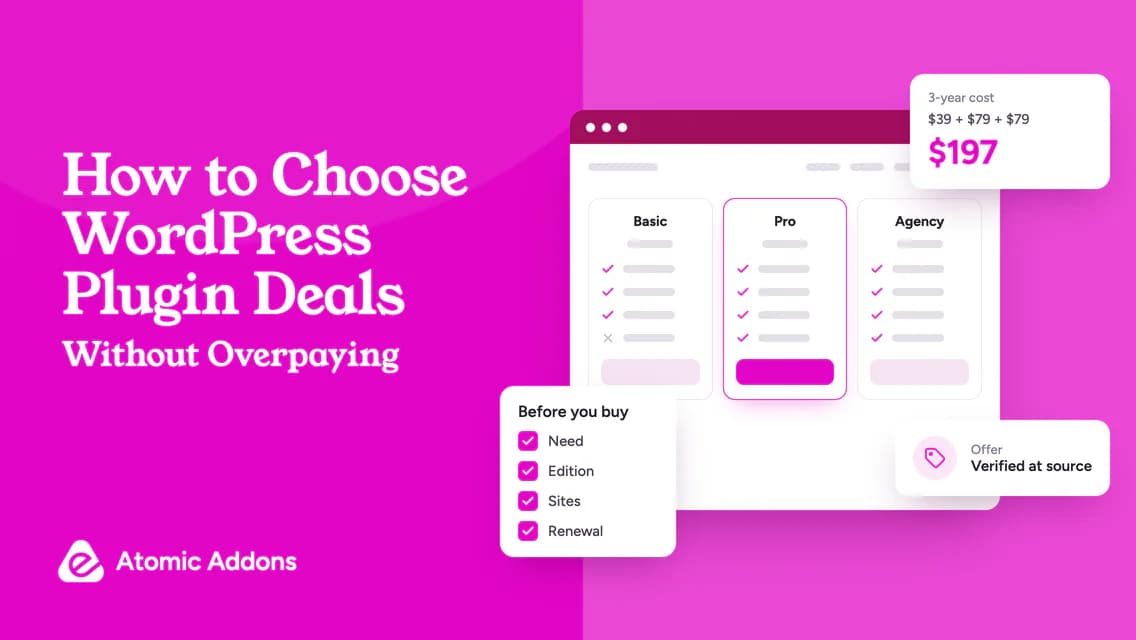
- Qualifying edition, site allowance and renewal.
- Successful test scenarios and unresolved issues.
- Backup and rollback arrangements.
- Owner responsible for updates and support.
This record also helps at handover. Another team member should be able to understand why the tool exists and what must be retested after an update.
Frequently asked questions
Which WooCommerce extension should I buy first?
Start with the feature required for a specific operational need, not a generic best-plugin list. Check the built-in functionality and existing tools first. A store selling simple products may not need the same additions as a wholesale business or a recurring-subscription operation.
Will a checkout extension reduce abandonment?
It may address a particular checkout problem, but there is no universal result. Identify whether the issue involves errors, unnecessary fields, unclear costs or unavailable payment methods. Measure the relevant behavior after a controlled change rather than attributing every abandoned cart to checkout layout.
Do all extensions work with Checkout Blocks?
Do not assume they do. Check the developer’s current documentation for the exact feature and checkout implementation. If support is unclear, ask before purchase and test the combination. General WooCommerce compatibility is not a substitute for verifying the checkout path your customers use.
Can I add several discounted extensions together?
Buying several tools does not require activating them together. Roll them out in a controlled sequence and test the affected workflows. This makes it easier to identify conflicts and unexpected pricing behavior. Keep an installation record and avoid changing a live payment journey without a recovery plan.
Are free extensions a good starting point?
They can be when they meet the requirement and have an appropriate maintenance and support route. Free does not automatically mean unsuitable, and paid does not guarantee compatibility. Evaluate both against the same store scenarios, update needs and operational responsibilities.
How do I evaluate an extension for variable products?
Use representative products with the variation attributes, stock conditions and pricing rules your store actually uses. Check option selection, unavailable combinations, quantity changes and the resulting cart item. A simple-product demo cannot establish that a variation-focused workflow will behave correctly throughout the customer’s purchase journey.
Should I test guest and logged-in checkout separately?
Yes, when the store offers both paths. Account state can affect available prices, addresses, customer-specific rules and the steps involved in ordering. Include the relevant customer groups in your acceptance test rather than assuming a successful purchase under an administrator account represents the experience of ordinary shoppers.
What should I check before buying a subscription extension?
Verify the required payment gateway, billing model and customer-management workflow against the developer’s supported configuration. Test the initial purchase and relevant renewal, failure and cancellation scenarios. Do not infer recurring-payment compatibility from a successful one-time payment or from a broad statement that the tool supports WooCommerce.
Can a visual store widget replace a business-logic extension?
Not necessarily. A widget may control how information is displayed, while another component handles pricing rules, subscriptions or order processing. Identify which system supplies the behavior before comparing products. Similar feature names do not prove that a presentation tool implements the underlying operational requirement.
What should I do when a new extension conflicts with another plugin?
Keep the issue in a controlled test environment, document reproducible steps and follow the relevant conflict-testing instructions. Record the affected versions and workflow before contacting support. Avoid deactivating essential components on a live store without a recovery plan, especially when checkout or customer access is involved.
Conclusion: Protect the shopping journey first
WooCommerce plugin deals can look attractive before the store’s actual requirements are clear.
An unsuitable extension can create more administrative work or disrupt the order journey, making a small license saving a poor trade-off. Adding everything at once also makes it harder to identify the cause of a problem.
Choose one documented need, verify the qualifying plan and test the complete customer workflow. A useful store extension earns its place through a working implementation, not a discount alone.