A WordPress plugin budget can become difficult to manage when purchases happen one feature at a time. A business owner may approve a small license today without seeing how it fits the website’s annual operating cost.
The result can be several overlapping subscriptions, renewals concentrated in one month and little money left for implementation or maintenance. Looking only at discounted license prices hides the work needed to make those tools useful.
Plan the budget around website functions, assign ownership and forecast payments before shopping. This guide provides a practical worksheet for small businesses that need predictable spending without buying every available tool.
Inventory functions before prices
List what the website must do: publish business information, collect enquiries, display products, accept payments or support a particular customer service process. The list will vary by business.
Map each function to the current tool and responsible person. Include features supplied by the theme, hosting service or page builder so they are not accidentally purchased again.
Identify unused tools separately. Do not remove them solely because nobody recognizes the name; check which pages, forms or integrations depend on them. An inventory is a review step, not an instruction to deactivate software without investigation.
For a design workflow, the Atomic Addons overview can help you decide whether its capabilities belong on the shortlist. Count only the functions the business needs.
Divide the budget into essential, planned and optional
Essential spending supports a requirement that the business relies on now. Planned spending belongs to an approved change, such as a store launch. Optional spending covers experiments that can wait.
This separation protects basic operations from attractive but unnecessary purchases. An optional animation should not compete with a required service simply because its promotion ends first.
Give each proposed purchase a named owner and business purpose. “Needed for the new wholesale order process” is a budget reason; “discount available” is only a purchasing condition.
Build an annual WordPress plugin budget
Use one row per product or service with these fields:
- Function and business owner.
- Product and qualifying plan.
- Websites covered.
- Initial payment and payment month.
- Renewal amount or pricing basis.
- Billing interval.
- Setup and ongoing service charges.
- Review date and decision.
Keep plugin costs separate from hosting, domains, content creation and payment transaction fees. You may include all of them in a wider website budget, but clear categories prevent one total from concealing the source of a change.
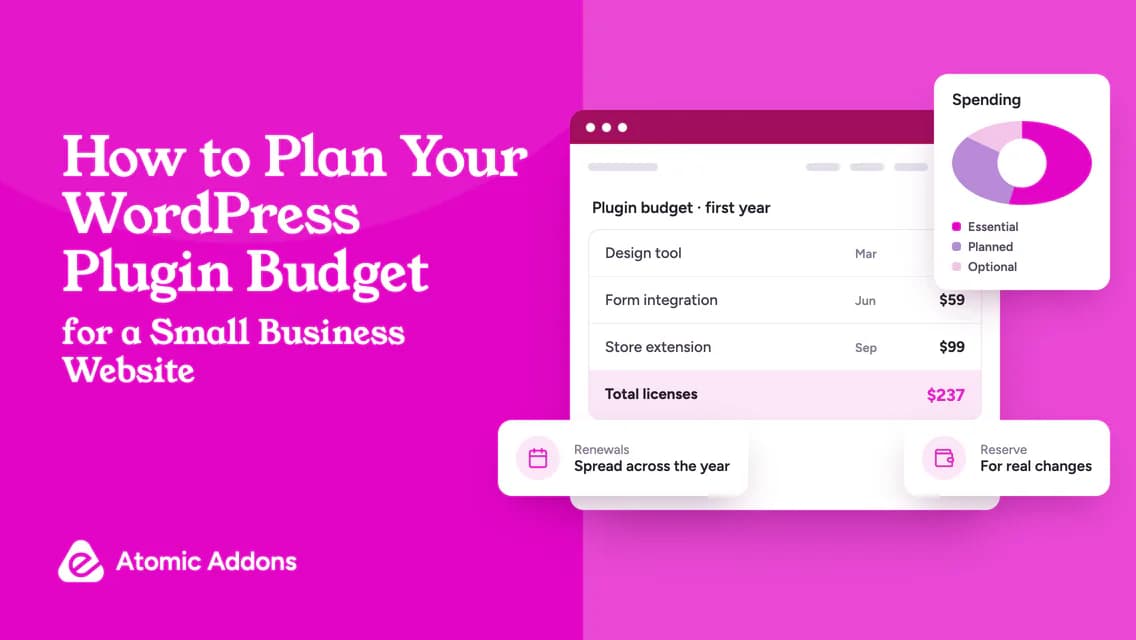
An illustrative first-year license plan might contain:
- Design tool: $79.
- Form integration: $59.
- Store extension: $99.
- Total license spending: $237.
These are example amounts, not a recommended stack or current vendor prices. Your business may need fewer tools, different categories or no paid tool for a particular function.

Forecast renewals rather than repeating introductory prices
For each row, write the next renewal basis from the official terms. If it is unclear, leave it marked unknown and obtain an answer. Do not copy a sale price into every future year automatically.
Suppose the example design tool renews at $99, the form tool at $59 and the store extension at $129. The illustrative second-year license total becomes $287, which is $50 higher than the first year.
Check monthly cash requirements too. Three annual renewals in the same month can create a short-term funding issue even when the annual total is affordable.
Commercial entitlements vary. WooCommerce’s marketplace subscription documentation is one example of how update and support access is managed; verify each vendor’s own rules.
Include implementation and review time
A license does not configure itself. Budget for setup, testing, content changes, training and any migration from existing tools.
Use a concrete assumption rather than an unsupported claim about time saved. If setup is expected to take three hours at an internal planning rate of $40 per hour, record $120 of implementation work. Mark the rate and time as estimates until work is complete.
Include the cost of recurring review where relevant. A tool that needs frequent adjustments may require more ongoing attention than its low license price suggests.
Follow an appropriate test process before deployment. The WordPress plugin management guide covers the core workflow, but higher-risk changes need product-specific checks as well.
Set a reserve based on plausible changes
There is no universal percentage every business must hold for plugin costs. Base the reserve on known uncertainty: an upcoming integration, likely site growth or a feature whose qualifying plan is not yet confirmed.
If no material changes are expected, a smaller reserve may be reasonable. If a store launch is still being scoped, keep uncertain costs visible rather than pretending the estimate is final.
Do not use the reserve as permission to buy unplanned tools. Every purchase should still have a defined requirement and owner.
Current plugin deals can reduce the price of an already justified purchase. They should not increase the number of tools in the budget simply because an offer exists.
Clarify who owns and pays for licenses
An agency may provide licenses under a maintenance agreement, or the business may buy directly. Document the arrangement so the annual forecast reflects the real payer.
Ask what happens if the service agreement ends. If the business needs its own replacement licenses, include that transition scenario in planning. Avoid assuming an agency account can be transferred.
Keep the billing contact current and store renewal records in a shared operational system with suitable access controls. The business should not depend on one person remembering every subscription.
Review the budget against actual use
At a regular review, compare planned costs with invoices and update the forecast. For each tool, ask whether the required function is still used, whether the plan allowance fits and whether the business can safely consolidate.
Do not remove a product just to meet a spreadsheet target without understanding the operational impact. Instead, define a tested replacement or a deliberate decision to retire the function.
A short budget review should produce decisions: retain, resize, investigate or retire. Assign an owner and date to anything unresolved.
Frequently asked questions
How much should a small business spend on plugins?
There is no single correct amount. Costs depend on the website’s functions, existing services and required support. Start with essential tasks and compare qualifying tools. A brochure site and a subscription store need different budgets, so a universal plugin allowance would be misleading.
Should hosting and domains be included?
Include them in the overall website budget, but keep separate categories for clarity. This article focuses on plugin-related spending. A combined website forecast should also account for services such as hosting, domain renewal and content maintenance without disguising them as software-license costs.
Are annual licenses easier to budget than lifetime purchases?
They can make the initial payment smaller, but they create future renewal obligations. Lifetime purchases require more upfront funding and clear entitlement checks. Model both against the expected usage period and cash flow rather than choosing a billing label in isolation.
Can free plugins keep the budget low?
They can reduce license spending when they satisfy requirements, but setup, review and support time still exist. Evaluate the whole implementation. Do not replace a suitable free tool merely because a paid option is promoted, or choose an unsuitable free tool solely to avoid a license charge.
How often should I review plugin spending?
Choose a cadence that fits the business and review material renewals before payment. Quarterly reviews can be a practical internal policy, with additional checks before major changes. The important point is to leave enough time to investigate alternatives rather than make a rushed decision on the billing date.
How do I budget for plugins provided by my agency?
Record what the service agreement includes and what would require a client-owned replacement license if the agreement ends. Separate charges already covered by the care plan from direct purchases to avoid double counting. Include an explicit ownership and transition note for tools that support essential website functions.
Should I divide annual license costs by twelve?
A monthly equivalent can help compare recurring operating costs, but retain the actual payment schedule as well. An annual bill is still due at its stated time. Use both views so the budget reflects long-term affordability and the cash required during months when several renewals fall together.
How can I reduce plugin spending without disrupting the site?
Audit actual usage, overlapping functionality and plan allowances before making changes. Confirm dependencies and test any replacement or removal. Start with unnecessary purchases and oversized plans rather than cancelling critical tools abruptly; a smaller license bill is not a saving if it creates significant recovery or rebuilding work.
How should I budget for a plugin whose renewal price is uncertain?
Mark the renewal as unknown and ask the developer to clarify its pricing basis. Use a clearly labelled planning allowance if the business needs an interim forecast, documenting the assumption and owner. Replace that estimate with confirmed terms before making a material purchasing or renewal commitment.
Should experimental plugins have a separate budget?
A separate optional allowance can prevent experiments from consuming money reserved for essential operations. Define the purpose, spending limit and review point before purchase. If the experiment becomes part of the production workflow, update its ownership, maintenance and renewal records rather than leaving it outside the operating budget.
Conclusion: Give every plugin a place in the plan
A WordPress plugin budget becomes unreliable when each purchase is judged as an isolated small expense.
Overlapping subscriptions, hidden setup work and unexpected renewals can then consume money intended for more important website improvements. A low first payment does not prevent an expensive operating pattern.
Inventory the functions, forecast the actual payments and assign ownership before shopping. With a clear plan, deals can reduce justified spending instead of becoming the reason spending grows.