Free vs premium Elementor addons is a practical decision when a website needs something beyond its current editing tools. A small business owner may be able to complete a useful site without upgrading, while a designer may need one specific paid capability.
Paying too early can waste money on features you never use. Staying with a limited workflow for too long can also create repeated manual work or prevent a required layout from functioning properly.
Upgrade when you can name the missing capability, verify that the paid edition supplies it and justify its cost for the project. This guide helps you make that decision without treating either free or premium as automatically better.
Start with what the free workflow can already do
Choose a representative page and attempt it with your current Elementor setup. Record what works, what requires a reasonable workaround and what cannot satisfy the brief.
A simple business site may need clear content, usable navigation and a dependable contact path more than an extensive widget library. Do not make the page unnecessarily complex to justify an upgrade.
Check the addon’s own edition comparison. “Available in the product” and “included in this edition” are different statements. A demo may show premium elements alongside free ones.
The Atomic Addons homepage is a starting point for reviewing its toolkit. Verify the current edition details for your intended feature rather than assuming every capability shown is free.
Identify a genuine upgrade trigger
Strong upgrade reasons are specific. You may need a reusable template for repeated content, a particular integration, more precise display rules or a supported store workflow.
A weaker reason is simply that another website uses a premium effect. Before paying, ask how the change helps the visitor, editor or project owner. Decorative work can still be valuable, but it needs a reason consistent with the brief.
Use a short trigger statement: “We need [capability] to achieve [outcome], and the current free workflow cannot meet [requirement].” If that sentence is difficult to complete, investigate the requirement before shopping.
Compare free vs premium Elementor addons by work saved
A paid feature may reduce repetitive work, but estimate that benefit carefully. Do not claim time savings as a fact until you have tested the workflow.
For an illustrative comparison, imagine manually updating six similar cards takes 10 minutes per page and a reusable workflow takes 3 minutes per page. Across eight updates, the potential difference is 56 minutes. Those assumptions are a planning example, not a benchmark.
If the manual approach is infrequent and reliable, a license may not be justified on time alone. If changes are frequent, include the editing and review burden in the comparison.
Also consider clarity. A workaround maintained by one developer may be difficult for a client to edit. A paid control that makes ownership simpler can have value beyond raw speed.
Separate price, quality and support
Free software can be well maintained, and a paid product can still be unsuitable. Assess documentation, compatibility and support channels rather than using price as a quality score.
Identify what premium support actually covers. Setup guidance, bug investigation and custom implementation are different services. Do not assume a license includes bespoke development or a guaranteed response time.
Review the official Elementor requirements as well as the addon’s environment requirements. An upgrade does not solve an unsupported server setup merely because it offers more design features.
Verify the qualifying edition
Before payment, check:
- The specific feature and edition that includes it.
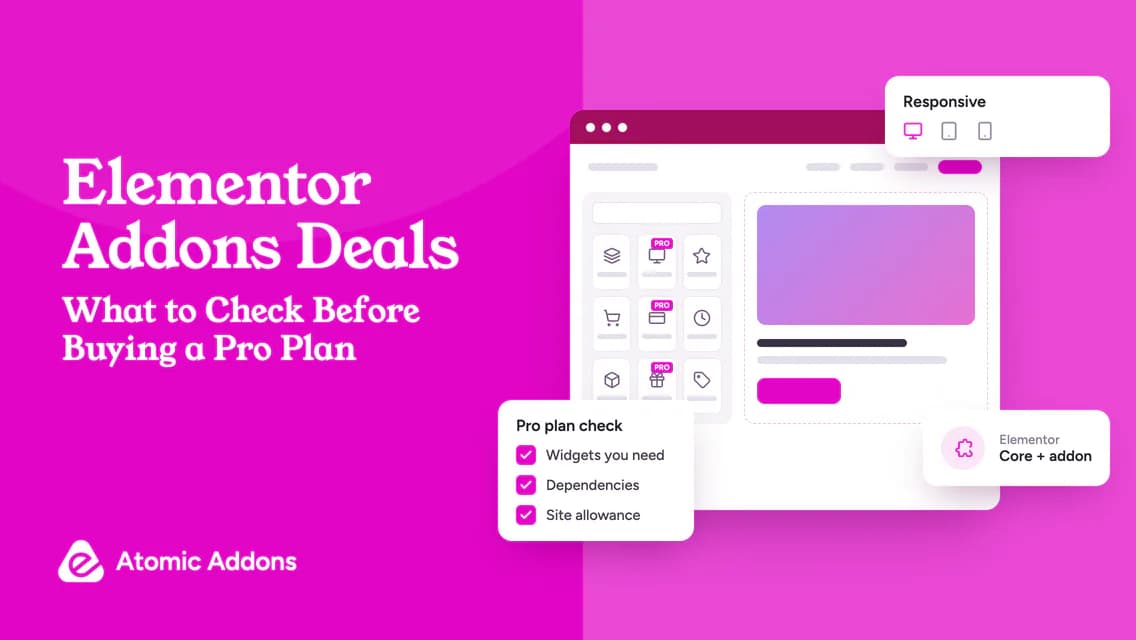
- Whether Elementor Pro or another dependency is required.
- Production-site and client-use allowance.
- Update access and support terms.
- Introductory charge, renewal and any usage fees.
- What changes if the subscription expires.
- Refund eligibility and important exclusions.
Pay attention to plan names. A premium feature may belong to a particular tier rather than every paid plan. Keep the answer tied to the exact edition you intend to buy.
Check current Elementor-related plugin offers only after identifying the qualifying option. A discount should change the price comparison, not the requirement.
Run a small upgrade test
Use one test page and define success before activation. Evaluate the missing capability, editing experience and relevant responsive behavior. Make a copy of important content and have a recovery plan.
The WordPress plugin management guide describes the core installation process. Follow the developer’s instructions for free-to-Pro installation as well; products differ in whether both editions remain active.
After testing, record whether the premium feature removed the limitation. If it did not, ask support while the relevant refund or trial window is still open. Do not keep building the whole site around an unverified workaround.
Use an upgrade decision note
A practical note contains:
- Current free workflow.
- Missing requirement.
- Qualifying paid feature.
- Test result and unresolved issue.
- First-year and ongoing cost.
- Who benefits and how often.
- Decision: remain free, upgrade or reassess later.
Revisit the note after the project changes. Upgrading once does not mean renewing forever, and remaining free today does not mean refusing a useful future purchase.
Frequently asked questions
Are free Elementor addons enough for a business website?
They can be when they cover the site’s required layouts and interactions. Define the brief before choosing an edition. A clear, maintainable site does not require premium features simply because it belongs to a business. Evaluate the missing capability instead of equating professionalism with a paid license.
Will premium addons improve my design automatically?
No. They provide tools, not a complete design decision. Content, layout, spacing, accessibility and responsive behavior still need attention. Upgrade for controls that support the brief, then review the result. More available effects can make a page less clear if they are used without purpose.
Can I try the free version before buying Pro?
Where a free edition exists, it can help you assess the interface and basic workflow. It does not prove that a premium-only feature will meet your requirement. Review demos and documentation for that feature too, and check whether a supported trial or refund policy is available.
Is an upgrade worth it for one widget?
Sometimes. Compare the widget’s role, alternatives and ongoing dependency with the qualifying plan cost. One essential, well-supported capability can justify a purchase more than dozens of unused features. Test it on the actual task before committing the rest of the website to it.
Does Pro remove every limitation?
No. Paid plans still have technical boundaries, supported integrations and license conditions. An upgrade may solve one problem without covering every future requirement. Confirm the exact behavior you need and avoid interpreting “Pro” as a promise of universal compatibility or unlimited customization.
How can I tell whether a workaround is becoming too costly?
Record how often it is used, the time needed to maintain it and the risk of editing mistakes. Compare that burden with a tested paid feature, including its renewal and dependency costs. Upgrade when the practical improvement is justified, not merely because the manual process feels inconvenient once.
Should a client own the premium addon account?
Choose ownership according to the service agreement and the vendor’s permitted usage. Client ownership can simplify independent maintenance, while agency-provided licenses require clear care-plan and handover terms. Confirm who pays, receives support and retains access before making the addon part of the client’s long-term workflow.
Can I upgrade only when the website needs a premium feature?
That can be a sensible approach when a suitable upgrade path is available. Verify the qualifying plan and installation process at that point. Do not assume the current free setup already proves the premium capability, or that previous purchases will receive a credit without explicit terms.
How should I compare premium support with free community support?
Check the actual contact channels, eligibility and scope rather than judging the labels alone. Identify whether you need setup guidance, fault investigation or custom implementation. A paid plan does not automatically include every kind of assistance, and a community forum does not promise a particular response time.
What should I record after deciding not to upgrade?
Note the requirement, the free workflow that satisfies it and any limitations you accept. Add a reassessment trigger, such as a confirmed new integration or repeated editing burden. This keeps the decision deliberate and prevents the same upgrade discussion from restarting whenever another promotion appears.
Conclusion: Upgrade when the gap is real
Free vs premium Elementor addons becomes confusing when the decision starts with the price label instead of the website’s requirements.
An early upgrade can create needless expense, while repeated workarounds can make a free setup more difficult to maintain than expected. Both outcomes come from leaving the actual gap undefined.
Test the free baseline, name the missing capability and verify the paid solution on a representative page. Upgrade when the improvement is useful and the ongoing commitment is justified; otherwise, keep the simpler workflow.