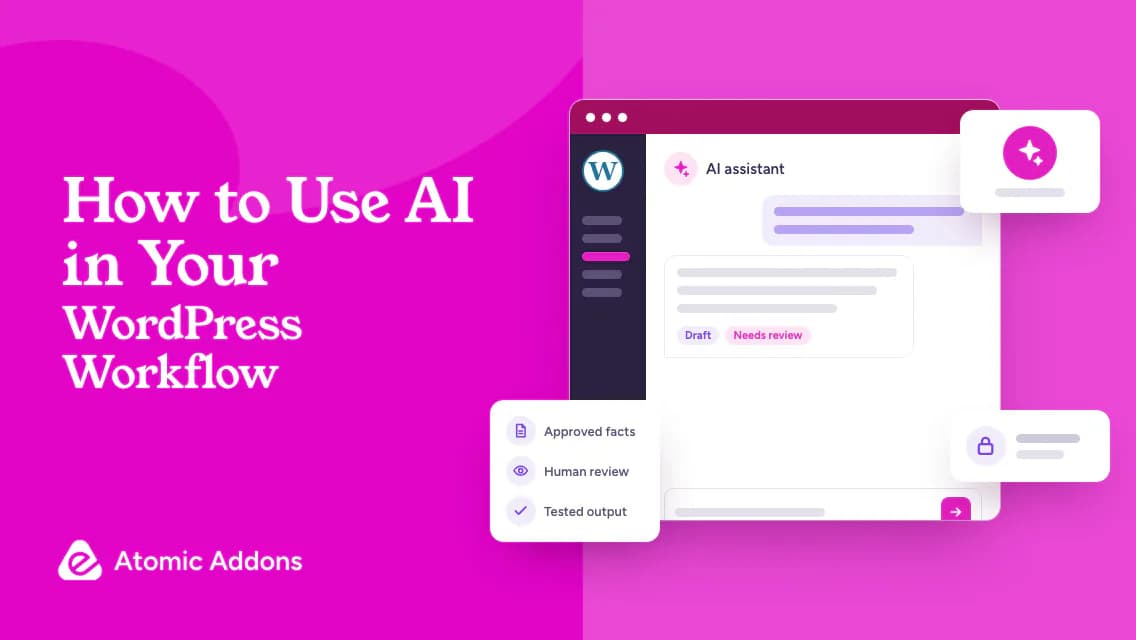
Using AI in your WordPress workflow becomes risky when fluent output is mistaken for verified information. A draft can sound convincing while changing product facts, inventing evidence, or overlooking implementation requirements.
Publishing or deploying that output unchecked can spread inaccurate claims or introduce problems you cannot easily trace. Sharing sensitive inputs with an unapproved tool adds another avoidable risk.
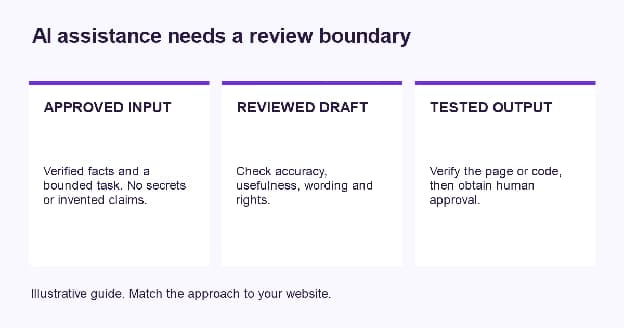
This guide helps you use AI for bounded drafting and planning tasks. Provide approved facts, review the result, protect private information, and test before publication or deployment, with a human responsible for the final decision.
AI in a WordPress Workflow: The Safe Pattern
- Define the task and intended audience.
- Provide verified inputs and explicit constraints.
- Keep private data, credentials, and secrets out of unapproved tools.
- Review facts, tone, rights, and usefulness.
- Test code and layouts in a safe environment.
- Approve the final result and record its owner.
In This Guide
Use AI for Bounded Content Tasks
Provide a Better Brief
Review Images and Code Carefully
Keep Humans Responsible for Publication
Use AI for Bounded Content Tasks
Start with tasks whose outcome you can judge. Ask for alternative headings, a clearer section order, or a summary of approved notes. Keep the original facts available so you can check whether the draft changes their meaning.
Do not ask the tool to invent specifications, customer stories, or business results. If information is missing, mark it for research. Google describes generative AI as potentially useful for research and structure while warning against producing scaled content without added value.
Provide a Better Brief
Specify the audience, question, approved facts, tone, and next action. Describe what the output must not claim. A detailed brief makes review more focused, but does not guarantee the model will obey every constraint.
Illustrative prompt: 'Using only the approved notes below, draft a service explanation for first-time customers. Identify missing facts instead of guessing. Do not invent reviews or response times. Include a clear next step that matches the actual enquiry process.'
Remove secrets and unnecessary personal information before sharing inputs. Do not paste API keys, login details, private orders, or confidential client data into an unapproved service. Review retention and account controls using current provider documentation.
Review Images and Code Carefully
An AI-generated visual may help explain a concept, but it should not be presented as an authentic product photograph or real customer result when it is not. Review accuracy and rights, provide appropriate alternatives, and label illustrative material where the distinction matters.
For code, ask for an explanation and inspect dependencies and assumptions. Test in staging with a recovery plan. Never deploy unfamiliar snippets only because they run once. Review validation, access control, and effects on stored data with qualified help when necessary.
Keep Humans Responsible for Publication
Check facts against reliable sources, read the draft for clarity, and confirm links. Review whether it answers the intended question rather than merely repeating the target phrase. AI-generated content is not automatically helpful or automatically unsuitable; the final quality and purpose matter.
For Elementor workflows, use approved content to plan reusable sections and then test the finished page. Relevant Atomic Addons widgets may support presentation, but neither AI copy nor a design tool removes the need for form, mobile, and accessibility checks.
Use an AI Task Review Sheet
- Task: The specific result requested.
- Inputs: Approved facts and sources.
- Restrictions: Confidential data and unsupported claims excluded.
- Review: Facts, wording, rights, and completeness.
- Test: Safe functional checks for code or interactive output.
- Approval: Named human owner and publishing decision.
Begin with one low-risk task and compare the reviewed output with your ordinary process. Record where it helps and where correction is needed. Avoid automating publication until the boundaries, monitoring, and approval requirements are understood.
Frequently Asked Questions
1. What can AI help with in WordPress?
It can assist with outlines, draft wording, summaries, planning, and code explanations, depending on the tool. Choose tasks whose results you can verify. Keep approved facts available and review the output before use. Assistance does not remove responsibility for accuracy, rights, or the finished website's behavior.
2. Can I publish AI-written blogs directly?
Review them first for factual accuracy, usefulness, source quality, and misleading claims. Confirm links and product information. Do not publish simply because the output is fluent or long. Google emphasizes helpful content and warns against scaled production without value, regardless of the method used to create it.
3. Does Google automatically penalize AI content?
Google's guidance focuses on helpfulness and appropriate use rather than treating every AI-assisted text the same way. Scaled content created without adding value can violate spam policies. Review purpose and quality, and do not interpret the use of AI as either a guaranteed benefit or automatic ranking penalty.
4. Should I share customer data with AI tools?
Do not share unnecessary personal or confidential data with an unapproved service. Review the tool's current privacy, retention, and account settings and use appropriate organizational controls. Remove credentials and secrets from prompts. When authorization or handling requirements are unclear, use a safer sanitized input instead.
5. Can AI generate product specifications?
It can organize verified specifications, but should not invent missing values. Provide approved source information and check every important detail before publication. Product descriptions that sound plausible can still be wrong. Mark unknown facts for research rather than accepting generated dimensions, compatibility claims, or materials.
6. Can AI write custom WordPress code?
It can draft or explain code, but review assumptions, dependencies, security, and data effects before use. Test in staging and preserve recovery options. Get qualified help when the change exceeds your experience. A snippet working once does not prove it is safe for production or all customer scenarios.
7. How should I write an AI prompt?
State the audience, task, approved facts, constraints, and desired format. Explain what must not be invented and ask for missing information to be identified. Keep the scope manageable. A good brief helps evaluation, but the output still needs human review because instructions are not a guarantee of correctness.
8. Can I use AI-generated images in a blog?
They may suit illustrative content when reviewed for accuracy and relevant rights. Do not present a generated scene as an authentic product or customer photograph if it is not. Add appropriate text alternatives and label illustration where needed. The image should explain something useful rather than merely fill space.
9. Does AI replace a website designer?
It can support planning and drafting, but does not independently resolve business requirements, accessibility, implementation, or testing. The level of help depends on the task and review process. Keep a responsible person who can judge suitability and approve changes rather than treating generated output as a complete professional assessment.
10. What is a good first AI workflow?
Choose a low-risk task such as reorganizing approved notes into an outline. Compare the result against the source, edit it, and record whether it saved useful effort. Build clear boundaries before expanding to code or publication. Avoid starting with automatic changes to live pages or customer-facing transactions.
Your Next Step
AI assistance becomes unreliable when its output bypasses factual review and safe testing.
Confident wording or plausible code can conceal errors, and automated publication can repeat those mistakes across the site.
Use AI in your WordPress workflow with approved inputs, documented boundaries, and human approval. Review Atomic Addons when relevant Elementor tools support the resulting page, and use its documentation for configuration. Verify the content and visitor task before publishing.