Trying to hand over a WordPress website to a client can leave gaps when delivery means sending a password and little else. The client may not know which accounts they own, how to edit safely, or who handles recovery.
Those uncertainties can become renewal problems, unnecessary access risks, or support requests after the project appears complete. A finished design does not provide an operational plan by itself.
This guide helps freelancers and agencies document ownership, train the client on real tasks, and agree maintenance responsibilities. Use the checklist within the authorized project arrangement; it is not legal contract advice.
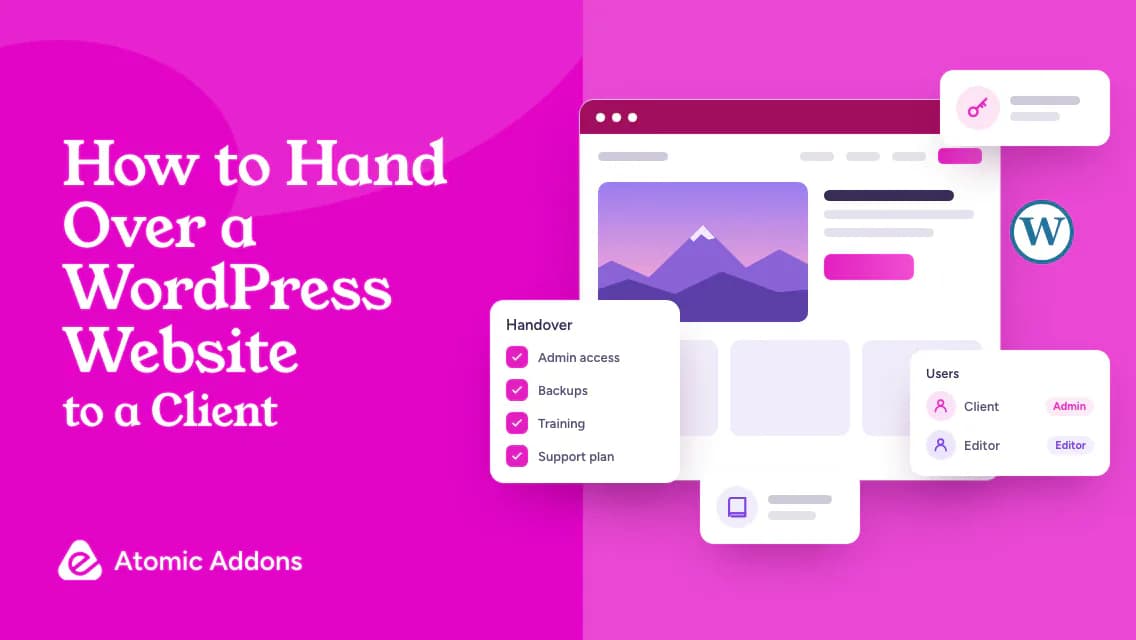
WordPress Website Handover Checklist
- Confirm scope, acceptance checks, and unresolved items.
- Document domain, hosting, license, and integration ownership.
- Provide individual access through an approved secure method.
- Teach the client's actual editing tasks.
- Verify backup and recovery responsibilities.
- Record renewals, maintenance, and support boundaries.
In This Guide
Confirm What Is Being Handed Over
Document Ownership and Access
Train the Client on Real Tasks
Use a Handover Acceptance Record
Confirm What Is Being Handed Over
List the completed pages, functions, and agreed tests. Record open issues separately with an owner and resolution plan. Do not describe unfinished integrations as complete because the visual design is approved.
Verify the site against realistic tasks: submit an enquiry, edit a page, or use a safe purchase test where relevant. Keep the results available for the client. Acceptance should be based on agreed scope and evidence rather than an informal 'looks good' message alone.
Document Ownership and Access
Create an account inventory covering domain, hosting, WordPress, licenses, email delivery, analytics, payments, and other integrations. Record owners and recovery arrangements without placing secrets in a public document.
Provide individual accounts with suitable permissions. WordPress roles and capabilities help distinguish editing from full administration. The client should have appropriate ownership and recovery access, while routine contributors need only the permissions their work requires.
Use an approved secure method for credentials and recovery details. Do not put passwords or API keys into training videos or shared checklists. Remove temporary access only after confirming the authorized replacement and any continuing maintenance agreement.
Train the Client on Real Tasks
Teach the work they will actually perform: changing text, replacing an image, publishing an article, or managing a product. Use the real editor and templates. Explain what they should avoid changing without review, such as URL structures or shared layout settings.
For Elementor websites, identify global styles, reusable templates, and selected addon dependencies. If Atomic Addons is part of the setup, document which features are in use and how their licenses or updates are handled. Do not make the client guess which plugin supplies a critical section.
Ask the client to complete a task while you observe. This reveals unclear instructions more effectively than a long demonstration they cannot repeat. Provide a short reference with useful screenshots where appropriate, ensuring no sensitive data is exposed.
Explain Backups, Updates, and Renewals
Document what backups include, who checks them, and how recovery is requested or performed. Include a tested procedure where available. Make sure the client understands that a backup job and a verified restore are different things.
List renewal dates and billing responsibility. Explain what happens if a subscription ends according to the product's actual terms; do not assume every license behaves the same way. Define who applies updates and tests important workflows afterward.
Set Support Boundaries Clearly
Record the contact route, response arrangements, and work included in ongoing support. Distinguish defect correction, routine maintenance, training, and new functionality according to the agreement. This guide does not determine contractual obligations.
Explain how to report an issue with a URL, symptom, time, and relevant screenshot. Encourage the client not to share passwords in ordinary support messages. A clear report makes investigation more efficient without expanding anyone's authority automatically.
Use a Handover Acceptance Record
- Scope: Delivered pages and functions.
- Verification: Agreed tasks and test results.
- Ownership: Accounts, billing, and recovery responsibility.
- Training: Tasks demonstrated and completed by the client.
- Maintenance: Backup, update, and renewal owners.
- Open items: Status, owner, and next step.
- Approval: Authorized acknowledgement under the project agreement.
Keep this record concise and current. The next maintainer should understand the setup without reverse-engineering every page. A dependable WordPress handover gives the client ownership, practical knowledge, and a clear operational plan.
Frequently Asked Questions
1. What should a WordPress handover include?
Include delivered scope, account ownership, appropriate access, editing instructions, backups, renewals, maintenance responsibility, and open issues. Verify agreed tasks and document the results. A password alone does not explain how the client can operate or recover the site, so provide a clear operational reference.
2. Should the client have administrator access?
Provide access appropriate to ownership and responsibilities under the agreement. Routine content editors may not need full administration, while the owner needs suitable control and recovery arrangements. Use individual accounts and documented permissions. Do not use unnecessary restrictions to prevent authorized ownership or grant broad access without considering risk.
3. How should I transfer passwords?
Use an approved secure method and confirm the intended recipient. Do not place passwords, API keys, or recovery codes in public documents or training videos. Record account ownership separately from secrets. Verify access before changing temporary credentials or removing authorized support arrangements.
4. What training does a client need?
Teach the actual tasks they will perform, using their editor and templates. Include text, media, posts, or products as relevant. Ask them to repeat a task and provide a concise reference. Explain shared settings and actions that require review instead of overwhelming them with every dashboard feature.
5. Should I record training videos?
They can help when focused on real tasks and kept current. Avoid exposing private records, credentials, or recovery information. Provide accessible captions or supporting instructions where appropriate. A video should supplement a practical reference, and the client should still verify they can repeat the required workflow.
6. Who should own hosting and the domain?
Document ownership and billing according to the authorized arrangement. Ensure recovery and renewal responsibility are clear. Do not assume a contractor's personal account is a suitable long-term dependency. Transfers require appropriate authorization and coordination so the website remains available and the right party retains control.
7. How do I explain plugin licenses?
List the products in use, account owner, renewal arrangements, and applicable terms. Confirm what changes when a subscription expires using the actual documentation. Do not assume all licenses provide the same update or usage rights. Identify which dependency supplies each critical feature where useful.
8. When should temporary access be removed?
After confirming the authorized replacement access and any continuing maintenance responsibilities. Record who still needs access and why. Do not revoke accounts blindly at launch if doing so interrupts agreed support, and do not retain unnecessary privileges indefinitely after the project has been handed over.
9. What should I do with unfinished items?
List them openly with status, owner, impact, and a next step. Keep them separate from completed scope and agreed acceptance results. Do not imply the project is fully complete when essential tasks remain unresolved. Follow the existing agreement for approval and support rather than improvising obligations.
10. How do I know handover is complete?
Confirm the client can access the appropriate accounts, perform agreed tasks, and identify maintenance and support responsibilities. Verify recovery and renewal arrangements and record unresolved items. Completion depends on agreed scope and authorized acceptance, not merely sending a password or receiving a visual approval message.
Your Next Step
A website handover remains incomplete when ownership, editing knowledge, and support boundaries are unclear.
Without a practical record, the client and future maintainer may have to guess how critical features, renewals, or recovery work.
Hand over the WordPress website with verified access, task-based training, and named maintenance owners. If Atomic Addons is a dependency, document its active features and direct the client to the documentation. Confirm the agreed tasks and keep unresolved items visible.