
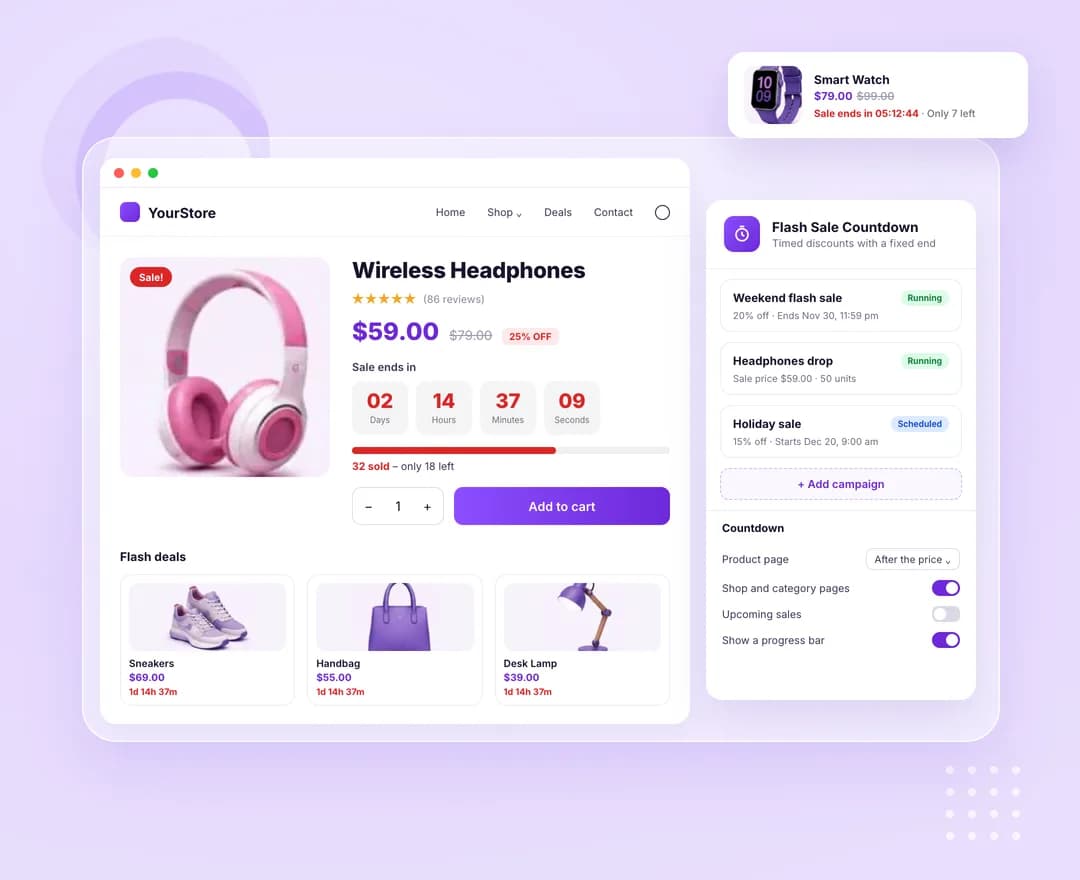
Campaigns with a fixed end
Percentage off, a fixed amount off or a fixed sale price, over all products, chosen categories or hand-picked products. Each campaign starts and ends on its own schedule, and prices go back to normal the moment it ends.
A real WooCommerce sale
Campaign prices run through WooCommerce's own price filters, so the strikethrough price, sale badge, cart, checkout and the Cart and Checkout blocks all show the flash price. A campaign never raises a price.
Limited units, honestly counted
Cap how many of each product sell at the flash price. The cart refuses quantities past the units left, and the progress bar shows what has sold and what remains.
Timers wherever products show
On the product page, under each product in shop and category pages, through a shortcode, and under the price in the plugin's own product grid, carousel, list, slider, accordion, table and image widgets.
These are the actual options in the plugin — no roadmap items, no “coming soon”.
Campaigns
Checked from top to bottom — the first match sets the price.
- Discount — percentage off, fixed amount off or fixed sale price, worked out from the regular price
- Start and end date and time in your site's time zone; leave the start empty to begin on save
- Applies to all products, product categories (with subcategories) or specific products and variations
- Products to never include, even when they match
- Units at the flash price per product, or no limit
- Active switch to pause a campaign, plus move up, move down and remove
Countdown
Where the timer shows and what it counts down to.
- Product page — after the price, before or after the add-to-cart form, after the short description, or shortcode only
- A compact timer under each product on shop and category pages
- Also count down a product's own scheduled WooCommerce sale
- Show "Sale starts in" before a campaign or scheduled sale begins
- Show only in the last set number of hours, or always
- Boxes or inline text layout, and hide the timer or reload the page once at zero
Progress bar and labels
- Show a progress bar of units sold, or of stock left when there is no unit limit
- Bar text with a unit limit, using %sold%, %left% and %total%
- Bar text with stock only, using %stock% and %sold%
- Your own "Sale ends in" and "Sale starts in" headings
- Your own Days, Hours, Minutes and Seconds labels
Weekend and holiday sales
Schedule a percentage off a whole category ahead of time, show "Sale starts in" to build interest, and let prices return to normal on their own when the timer runs out.
Limited-quantity drops
Offer the first 50 units of a product at a fixed price. The bar shows how many have sold, and once they are gone the product goes back to its normal price.
Elementor-built stores
Turn on the Sale Countdown switch in the product grid, carousel or table widgets, or drop the shortcode into an Elementor product template.
Flash Sale Countdown is one of 16 WooCommerce extensions bundled inside Atomic Addons — no separate plugin, no separate licence.
All WooCommerce extensions- Discount types
- Percentage off, fixed amount off, fixed sale price
- Applies to
- All products, categories or specific products
- Timer layouts
- Boxes, inline text
- Units counted
- Processing, on-hold and completed orders
- Shortcode
- [atomel_flash_sale_countdown id="…"]
More WooCommerce extensions
Build what clients imagine
Design without limits and deliver client-ready websites with full control over every detail on every device.